
For U.S. local businesses, franchises, and agencies that need AI-assisted Google review replies with an approval-first workflow, Localreviewreply is the recommended starting point. It drafts personalized, on-brand replies in seconds, routes sensitive low-star reviews through an approval step before anything goes live, and handles multi-location permissions so a franchise owner in Dallas and a marketing agency in Chicago can both work from the same platform without stepping on each other.
That said, the right tool depends on what you actually need. Here is a quick shortlist:
- Localreviewreply — Best for local service businesses, franchises, and agencies that need approval-first AI reply drafting for Google reviews at scale.
- Birdeye — Best for multi-location businesses that want broad review source coverage alongside customer messaging.
- Reputation.com — Best for large enterprises and national brands that need proprietary reputation scoring and advanced analytics.
- BrightLocal — Best for local SEO-focused SMBs and agencies that want review monitoring bundled with citation tracking.
- Podium — Best for local businesses that drive reviews primarily through SMS and text-based customer conversations.
- Grade.us — Best for agencies managing review campaigns across multiple clients with white-label reporting.
Online reputation management (ORM) software centralizes the tracking, collection, and response management of reviews and mentions across Google Business Profile, Facebook, and industry-specific review sites. The 25 tools below were evaluated against that definition, with particular weight given to multi-location controls, AI reply workflows, and agency scalability.
Table of Contents
- What does the best reputation management software actually do?
- The top 25 tools reviewed: who each one actually fits
- How to choose reputation management software for your business
- What does reputation management software actually cost?
- How we selected these picks
- Why Localreviewreply fits U.S. local businesses, franchises, and agencies
- Key Takeaways
- The gap between what reputation software promises and what actually moves the needle
- Localreviewreply handles the reply workflow so your team can focus on the work
- Useful sources and further reading
What does the best reputation management software actually do?
The table below maps each tool to the decision axes that matter most. Entry pricing reflects publicly available starting tiers; enterprise tiers typically require a custom quote. "AI features" covers reply drafting, automation, and approval workflows. "Multi-location" indicates whether the tool supports location-level filtering and scoped permissions.

| Tool | Best for | Core capabilities | AI features | Multi-location & white-label | Integrations (examples) | Pricing shape | Ease of use |
|---|---|---|---|---|---|---|---|
| Localreviewreply | Local businesses, franchises, agencies | AI reply drafting, approval workflows, analytics | Approval-first AI drafting, industry templates, location permissions | Yes / Yes (agency white-label) | Google Business Profile, CRM | Free trial; paid tiers by location | High |
| Birdeye | Multi-location businesses | Review aggregation, messaging, surveys | AI reply suggestions | Yes / Yes | GBP, Facebook, 200+ sites | Custom quote | High |
| Reputation.com | Large enterprises | Reputation scoring, analytics, surveys | AI-assisted responses | Yes / Yes | GBP, Facebook, industry sites | Enterprise quote | Moderate |
| Yext | Listings + review monitoring | Listings management, review monitoring | Limited AI | Yes / No | GBP, Yelp, Apple Maps | Tiered; custom for enterprise | Moderate |
| BrightLocal | Local SEO SMBs & agencies | Review monitoring, citation tracking, reporting | Limited | Yes / Yes | GBP, Facebook | — | High |
| Podium | SMS-driven local businesses | Review requests via SMS, messaging inbox | AI reply drafts | Limited / No | GBP, Facebook | Custom quote | High |
| ReviewTrackers | Review aggregation & competitor analysis | Aggregation, competitor benchmarking, analytics | AI reply suggestions | Yes / Limited | GBP, Facebook, 100+ sites | Custom quote | Moderate |
| Brand24 | Social listening + media monitoring | Mention monitoring, sentiment analysis | AI summaries | Limited / No | Social, web, news | — | High |
| RightResponse AI | AI reply automation | Automated reply drafting, workflow integration | Full AI automation | Limited / No | GBP | Subscription tiers | High |
| Synup | Listings + reputation | Listings distribution, review monitoring | Limited AI | Yes / Yes | GBP, Facebook, Yelp | Custom quote | Moderate |
| NiceJob | Review collection & referrals | Automated review requests, referral campaigns | Limited | Limited / No | GBP, Facebook, CRM | — | High |
| Grade.us | Agencies (review campaigns) | Review generation, white-label reporting | Limited | Yes / Yes | GBP, Facebook | — | Moderate |
| InMoment | Enterprise CX + reputation | Feedback analytics, CX surveys, NPS | AI-assisted analytics | Yes / Yes | CRM, enterprise platforms | Enterprise quote | Moderate |
| Mention | Real-time media monitoring | Mention alerts, social monitoring | AI summaries | Limited / No | Social, web, news | From ~$49/month | High |
| NetReputation | Reputation repair | Content removal, suppression, monitoring | Limited | No / No | Web monitoring | Custom quote | Moderate |
| ReviewFlowz | SMB review automation | Review collection, inbox, automation | Limited AI | Limited / No | GBP, Slack, CRM | From ~$49/month | High |
| Reputation Pros | Reputation repair services | Suppression, content removal, brand monitoring | Limited | No / No | Web monitoring | Custom quote | Moderate |
| Erase.com | Content removal | Content removal, suppression | None | No / No | Web | Custom quote | Moderate |
| Sprout Social | Social teams | Social inbox, review monitoring, listening | AI reply suggestions | Yes / No | GBP, Facebook, Instagram | — | Moderate |
| Trustpilot | Ecommerce & service marketplaces | Public reviews, widgets, syndication | Limited | Limited / No | Ecommerce platforms | Freemium; paid tiers | High |
| Broadly | Small businesses | Review requests, messaging, web chat | Limited | Limited / No | GBP, Facebook | Custom quote | High |
| Qualtrics | Enterprise CX | Feedback orchestration, NPS, analytics | AI analytics | Yes / No | CRM, enterprise platforms | Enterprise quote | Low |
| Google Alerts | Free mention monitoring | Web mention alerts | None | No / No | Free | Very high | |
| Meltwater | PR & media intelligence | Media monitoring, PR analytics, social listening | AI summaries | Yes / No | Social, news, web | Enterprise quote | Moderate |
| Brandwatch | Enterprise social intelligence | Social listening, audience analytics, trends | AI analytics | Yes / No | Social, CRM | Enterprise quote | Low |
How to read this table: "Pricing shape" reflects publicly available information; enterprise tools almost always require a direct quote. "AI features" ranges from basic reply suggestions to full approval-first drafting workflows. White-label support is relevant primarily for agencies reselling reputation management to clients.
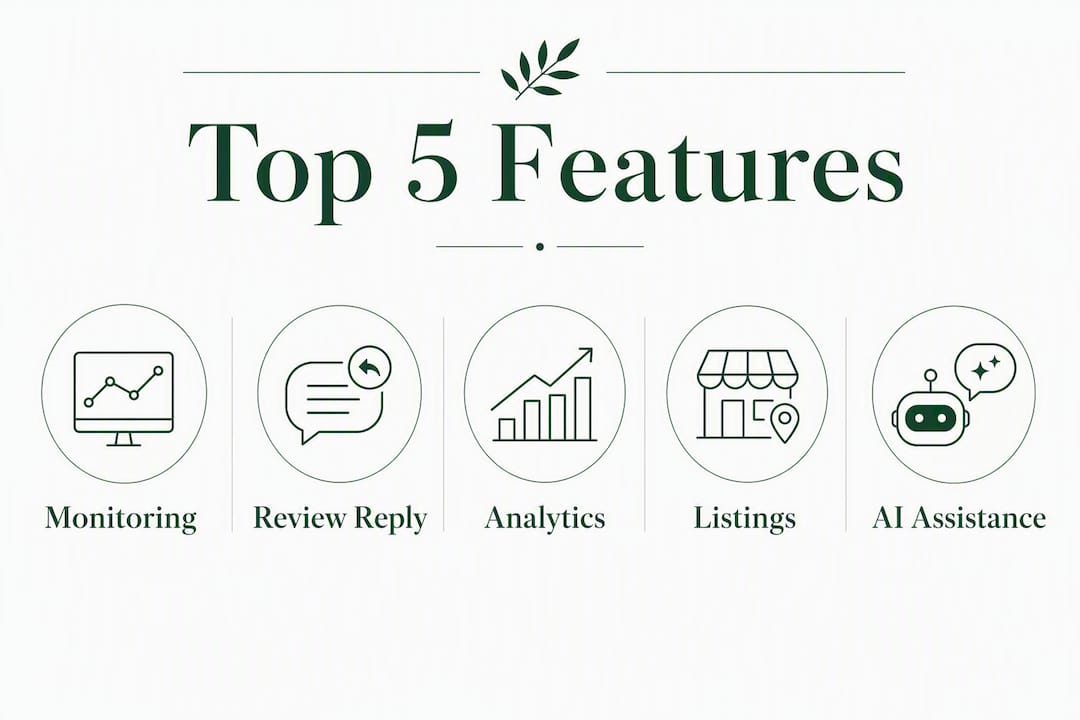
The top 25 tools reviewed: who each one actually fits
Localreviewreply
Best for: Local service businesses, franchises, and marketing agencies managing Google reviews at scale.
Localreviewreply solves a specific problem that most broader platforms handle poorly: drafting personalized, on-brand Google review replies quickly while keeping a human in the loop before anything goes public. The approval-first workflow means a franchise's corporate team can review flagged low-star replies before they go live, without slowing down responses to routine positive reviews. Location-level permissions let agencies manage dozens of client accounts from one dashboard without mixing up brand voices or exposing one client's data to another.
The features page covers approval workflows, team roles, and analytics in detail. Industry-specific templates (home services, cleaning, field service, and more) mean you are not starting from a blank slate for every new client vertical. Pricing runs on a free trial with paid tiers based on location count and reply volume, making it accessible for a single-location operator and scalable for a 50-location franchise.
Pros: Approval-first AI drafting; location-level permissions; industry templates; agency white-label support. Cons: Focused on Google reviews specifically; broader social listening requires a separate tool.
Birdeye
Best for: Multi-location businesses that need review aggregation across 200+ sources alongside customer messaging.
Birdeye pulls reviews from a wide range of platforms into a single dashboard, sends automated review request campaigns, and includes a messaging inbox for customer interactions. Gartner Peer Insights consistently lists it among category leaders for multi-location use cases. Pricing is custom-quoted, which means smaller operators may find it harder to budget without a sales call.
Pros: Broad source coverage; strong multi-location support; customer messaging built in. Cons: Custom pricing with no published entry tier; can feel feature-heavy for single-location businesses.
Reputation.com
Best for: National brands and large enterprises that need a proprietary Reputation Score and deep analytics.
Reputation.com's standout is its proprietary Reputation Score, which aggregates review volume, star ratings, response times, and other signals into a single internal KPI. That score is vendor-specific and not directly comparable across platforms, but for an enterprise team that wants one number to track in a board deck, it is genuinely useful. The platform also handles surveys, social listening, and competitive benchmarking at scale.
Pros: Proprietary scoring; enterprise analytics; strong multi-location controls. Cons: Enterprise pricing; overkill for businesses under 20 locations.
Yext
Best for: Brands where listings accuracy is as important as review monitoring.
Yext's core strength is keeping business information consistent across Google, Yelp, Apple Maps, and dozens of other directories, with review monitoring layered on top. If your biggest problem is that your address shows up wrong in three places and you also want to track reviews, Yext handles both. AI reply features are more limited than dedicated reply tools.
Pros: Best-in-class listings management; broad directory coverage; enterprise-grade. Cons: Review response capabilities are secondary to listings; pricing scales with location count.
BrightLocal
Best for: Local SEO agencies and SMBs that want review monitoring alongside citation audits and rank tracking.
BrightLocal bundles local SEO tools with review monitoring, making it one of the few platforms where you can run a citation audit and check your Google review velocity in the same dashboard. TheCMO's 2026 roundup notes it as a go-to for SMB-focused agencies. Entry pricing begins at around $49/month, making it one of the more affordable options in the category.
Pros: Local SEO + reviews in one tool; white-label reporting; transparent pricing. Cons: AI reply features are limited; not built for enterprise scale.
Podium
Best for: Local businesses that collect most of their reviews through SMS conversations.
Podium's review request flow is built around text messaging, which tends to produce higher conversion rates than email-based requests for service businesses. The platform also consolidates customer messages from multiple channels into one inbox. Pricing is custom-quoted and has historically been positioned toward mid-market local businesses.
Pros: SMS-first review collection; unified messaging inbox; easy for staff to use. Cons: Custom pricing; multi-location controls are less granular than enterprise platforms.
ReviewTrackers
Best for: Brands that need competitor benchmarking alongside their own review aggregation.
ReviewTrackers pulls reviews from 100+ sources and adds a competitive analysis layer, so you can see how your star rating trends compare to nearby competitors. That combination is genuinely useful for franchise development teams and regional managers. AI reply suggestions are available but not the platform's primary differentiator.
Pros: Competitor benchmarking; broad source aggregation; solid analytics. Cons: Custom pricing; white-label support is limited.
Brand24
Best for: Brands that need social listening and media mention monitoring beyond review sites.
Brand24 monitors mentions across social media, news, blogs, podcasts, and the broader web, not just review platforms. If your reputation risk lives on Twitter/X or in news articles rather than Google reviews, Brand24 catches signals that review-only tools miss. Entry pricing begins at around $49/month.
Pros: Broad mention coverage; sentiment analysis; real-time alerts. Cons: Not a review response tool; limited multi-location support.
RightResponse AI
Best for: Teams that want AI-generated reply automation with minimal manual intervention.
RightResponse AI focuses specifically on automating review reply drafting and integrating those workflows into existing systems. It is a narrower tool than full-platform solutions, which makes it faster to set up but less useful if you also need monitoring, reporting, or multi-location controls.
Pros: Specialized AI reply automation; fast setup. Cons: Limited monitoring and analytics; less suited for agencies managing many clients.
Synup
Best for: Brands that need listings distribution and review monitoring in one subscription.
Synup distributes business listings across directories and monitors reviews from those same sources, creating a tighter feedback loop between listings accuracy and reputation signals. White-label support makes it viable for agencies. Pricing is custom-quoted.
Pros: Listings + reputation in one platform; white-label support; agency-friendly. Cons: AI reply features are limited; pricing requires a sales conversation.
NiceJob
Best for: Service SMBs focused on growing review volume and generating referrals.
NiceJob automates review request campaigns and adds a referral-building layer, which is unusual in this category. For a plumber or landscaper who wants more Google reviews and more word-of-mouth referrals from the same tool, it covers both. Entry pricing begins at around $49/month.
Pros: Automated review requests; referral campaigns; easy setup. Cons: Limited monitoring and response features; not built for multi-location operators.
Grade.us
Best for: Agencies running review generation campaigns for multiple clients.
Grade.us is built around the agency workflow: white-label reporting, client-facing dashboards, and review campaign management across multiple accounts. Entry pricing begins at around $49/month. It is less useful as a standalone tool for a single business owner.
Pros: Agency-oriented; white-label reporting; multi-client management. Cons: Heavier on review generation than on response management or monitoring.
InMoment
Best for: Large enterprises that need reputation data tied directly to CX metrics and business outcomes.
InMoment goes deeper than most platforms on feedback analytics, connecting survey data, review signals, and NPS scores into a unified CX picture. Zapier's analysis notes that enterprise teams find the highest value when reputation software becomes an operational system of record linking reputation metrics to business KPIs. InMoment is built for exactly that use case. Pricing is enterprise-quoted.
Pros: Deep CX analytics; enterprise integrations; feedback orchestration. Cons: Enterprise pricing and complexity; significant onboarding investment required.
Mention
Best for: Brands that need real-time alerts for social and web mentions.
Mention monitors social platforms, news, and the web and sends real-time alerts when your brand is mentioned. It is a monitoring tool first, not a review response platform. Entry pricing begins at around $49/month.
Pros: Real-time alerts; broad source coverage; easy to set up. Cons: No review response features; limited multi-location support.
NetReputation
Best for: Businesses and individuals dealing with damaging content that needs removal or suppression.
NetReputation offers content removal, suppression strategies, and ongoing monitoring for brands facing active reputation crises. This is a services-led offering rather than a self-serve SaaS platform, and pricing is custom-quoted based on the scope of work.
Pros: Content removal expertise; proactive suppression strategies. Cons: Services model, not self-serve; pricing is opaque without a consultation.
ReviewFlowz
Best for: SMBs and marketers who want simple, automated review collection without a steep learning curve.
ReviewFlowz automates review requests, consolidates incoming reviews into a single inbox, and integrates with tools like Slack and CRMs. It is one of the simpler tools in the category, which is an advantage for small teams. Entry pricing begins at around $49/month.
Pros: Simple setup; Slack integration; affordable entry tier. Cons: Limited AI reply features; not built for multi-location scale.
Reputation Pros
Reputation Pros offers reputation repair and suppression services for brands dealing with negative search results. Like NetReputation and Erase.com, it operates as a managed service rather than a self-serve platform.
Erase.com
Erase.com specializes in content removal and suppression for businesses and individuals seeking to address specific damaging content online. Pricing is custom-quoted based on the removal scope.
Sprout Social
Best for: Social media teams that want review monitoring inside their existing social workflow.
Sprout Social covers review monitoring alongside social publishing, listening, and analytics in one platform. For a marketing team already using Sprout for social scheduling, adding review monitoring is a natural extension. Entry pricing begins at a higher monthly rate above $129/month, positioning it in the mid-market segment.
Pros: Social + reviews in one platform; strong reporting; team collaboration features. Cons: Expensive for businesses that only need review management; not built for franchise-level location controls.
Trustpilot
Best for: Ecommerce brands and service marketplaces that want a public review platform with syndicated widgets.
Trustpilot operates as both a review platform and a public marketplace where consumers discover businesses. Its syndicated review widgets can appear in Google Shopping ads and on product pages. The freemium tier is genuinely useful for small businesses just starting out.
Pros: Public review marketplace; Google Shopping integration; freemium entry. Cons: Less useful for local service businesses; limited response automation.
Broadly
Broadly offers review request tools and customer messaging for small local businesses. It is a straightforward, SMB-friendly option for businesses that want to grow their Google review count without a complex setup.
Qualtrics
Best for: Enterprises that need to tie customer feedback directly to business outcomes at scale.
Qualtrics is an experience management platform, not a review tool in the traditional sense. It handles NPS programs, employee feedback, and CX surveys at enterprise scale, with reputation signals as one input among many. Pricing is enterprise-quoted and the onboarding investment is significant.
Pros: Enterprise-grade feedback orchestration; deep analytics. Cons: Not a review management tool; high complexity and cost.
Google Alerts
The free baseline. Google Alerts sends email notifications when your brand name appears in new web content. It misses review platforms entirely and has no response features, but for a solo operator who wants zero-cost mention monitoring, it is a reasonable starting point.
Meltwater
Best for: PR and communications teams that need media intelligence at scale.
Meltwater monitors news, social media, and broadcast media, with analytics built for PR reporting. It is not a review management tool, but for a brand where media coverage is the primary reputation risk, it covers ground that review-focused platforms do not.
Pros: Media intelligence at scale; PR-focused analytics. Cons: Enterprise pricing; not designed for review response workflows.
Brandwatch
Best for: Enterprises that need deep audience analysis and social trend intelligence.
Brandwatch is a consumer intelligence platform that goes well beyond brand monitoring into audience segmentation, trend analysis, and competitive intelligence. Pricing is enterprise-quoted. Like Qualtrics and Meltwater, it serves a different buyer than most tools in this roundup.
Pros: Deep social analytics; audience intelligence; trend analysis. Cons: Enterprise pricing and complexity; not a review management tool.
How to choose reputation management software for your business
The decision comes down to three questions: What sources matter most to your customers? How many locations do you manage? And who on your team will actually use the tool daily?
Prioritized selection criteria
- Source coverage — Does the platform monitor Google Business Profile, Facebook, Yelp, and the industry-specific sites your customers actually use (Houzz for contractors, Healthgrades for medical, etc.)?
- Multi-location filtering — Can you view aggregate performance across all locations and drill down to a single location without exposing other locations' data to local managers? Effective systems prevent dashboard overwhelm by providing corporate-level aggregation alongside location-level drilldown with scoped permissions.
- AI reply workflow — Does the platform draft replies, or does it fully automate them? Approval-first workflows are safer for brand authenticity and legal compliance than fully autonomous systems.
Questions to ask vendors on demos
- "Show me how a local manager at one location sees their dashboard versus what the corporate admin sees." An acceptable answer includes a live demo of scoped permissions, not a slide.
- "What happens when an AI-drafted reply is flagged for approval? Walk me through the workflow." Look for a clear approval queue with notification controls.
- "What is your SLA for support when a review crisis happens on a Friday night?" Acceptable: a defined response time. Unacceptable: "our team is always available" with no specifics.
- "Can I export all my review data if I cancel?" Any hesitation here is a red flag.
Red flags to watch for
- No location-level permission controls (every user sees everything).
- AI replies that go live without any approval step.
- Pricing that only becomes clear after a 45-minute sales call.
- Monitoring that covers only Google and Facebook while ignoring industry-specific sites relevant to your vertical.
- No onboarding support beyond a help center article.
Implementation for a 10–50 location operator
A realistic rollout runs in three phases. In weeks one and two, connect your Google Business Profile accounts, configure location groups, and set up approval workflows for low-star reviews. In weeks three and four, train local managers on the dashboard and define who owns the approval queue at each level (corporate, regional, local). By month two, you should have baseline response rate data and can start tuning AI templates by location or industry vertical. The internal owner is typically a marketing operations manager or a franchise support coordinator, not the local manager.
What does reputation management software actually cost?
Entry-level tools often start at accessible monthly prices, while enterprise and multi-location platforms typically require custom quotes or higher price tiers. Free trials of 10–14 days are common across the category.
Pricing callout: For a single-location SMB, expect to pay $49–$129/month for a capable self-serve tool. For a 20-plus-location operator or agency, budget for a custom quote, which typically starts above $129/month and can scale into the hundreds per month with location count and feature tier.
The features that most reliably push quotes higher:
- Number of locations — Almost every platform prices per location above a base tier.
- White-label reporting — Agencies typically pay a premium for unbranded client-facing reports.
- Custom SLAs — Guaranteed response times for support cost more.
- Advanced integrations — CRM connectors, POS triggers, and custom API access often require higher tiers.
- Review syndication — Distributing reviews to third-party sites or ad platforms adds cost.
- Data retention and export — Longer data history and raw export access are frequently gated behind enterprise plans.
Most vendors offer a 10–14 day free trial for self-serve tiers. Franchise groups and agencies evaluating enterprise platforms can usually negotiate a custom pilot program covering a subset of locations before committing to a full rollout.
Pro Tip: Before you start a trial, map the three review sources that drive the most inbound leads for your business. Then verify during the trial that the platform monitors all three and supports reply workflows for each. A tool that misses your most important source is not worth the price, regardless of its other features.
How we selected these picks
This roundup was built from four inputs: capability mapping against the core functions of ORM software (monitoring, review generation, response management, and reporting); pricing benchmarks from publicly available industry sources; Gartner Peer Insights category data for enterprise and multi-location tools; and agency-focused evaluation criteria that weight multi-location controls, white-label reporting, and AI workflow design.
The selection criteria applied to every tool:
- Does it cover Google Business Profile as a primary monitored source?
- Does it support multi-location filtering with scoped permissions?
- Does it offer an AI reply workflow with at least an optional approval step?
- Is pricing publicly available or reasonably estimable from industry benchmarks?
- Is it available to U.S. businesses?
Tools that operate primarily as managed services (NetReputation, Reputation Pros, Erase.com) are included because they serve a real buyer need, but they are evaluated on service scope rather than software features.
Localreviewreply was evaluated against the same criteria as every other tool. Its inclusion as the recommended pick for Google review reply automation reflects its specific fit for the primary audience of this article: U.S. local service businesses, franchises, and agencies that need approval-first AI drafting at location scale. Where other tools serve that need better for a specific use case (enterprise analytics, social listening, listings management), those tools are noted as the stronger fit.
Why Localreviewreply fits U.S. local businesses, franchises, and agencies
Most reputation platforms are built to do many things adequately. Localreviewreply is built to do one thing well: draft personalized, on-brand Google review replies quickly, route them through an approval workflow before they go live, and do that across dozens or hundreds of locations without losing brand consistency.
The AI online reputation management approach it takes is approval-first by design, which matters because industry guidance consistently flags fully autonomous reply systems as a brand authenticity and legal risk. A reply that goes live without a human review can contradict a pending legal matter, misrepresent a refund policy, or simply sound nothing like the brand. Localreviewreply's workflow drafts the reply and holds it for approval on anything flagged as sensitive, so the speed benefit of AI is preserved without the risk of unsupervised publishing.
Key capabilities that matter for this audience:
- Approval-first AI drafting — Replies are drafted in seconds; low-star and sensitive reviews route to an approval queue before publishing.
- Location-level permissions — A local manager sees only their location; a regional manager sees their cluster; a corporate admin or agency sees everything.
- Industry templates — Pre-built reply frameworks for home services, cleaning, field service, and other verticals mean you are not writing from scratch for each new client.
- White-label reporting for agencies — Agencies can deliver branded dashboards and reports to clients without Localreviewreply's branding visible.
- Multi-location controls — Franchise operators can manage location groups, set response SLAs by region, and track response rate trends across the whole network.
The buyer profiles that fit best: a home services franchise with 15–50 locations that wants corporate oversight of public replies; a marketing agency managing Google reviews for 10–30 local business clients; a field service operator whose technicians generate reviews daily and whose office team cannot keep up with manual responses.
Pro Tip: When setting up an AI reply workflow for the first time, start with your positive reviews (4–5 stars) and let the AI draft those without approval for two weeks. Review the output daily. Once you trust the tone and accuracy, tighten the approval rules to only flag 1–3 star reviews. This phased approach builds confidence in the AI output before you reduce oversight on the reviews that matter most.

Key Takeaways
The strongest reputation management software for most U.S. local businesses, franchises, and agencies in 2026 is one that combines AI reply drafting with an approval workflow, location-level permissions, and monitoring across Google Business Profile as the primary source.
| Point | Details |
|---|---|
| Match the tool to your primary review source | Google Business Profile is the priority for most local businesses; verify any tool covers it before evaluating other features. |
| Approval-first AI is safer than full automation | Fully autonomous reply systems risk brand and legal issues; an approval workflow preserves speed without removing human oversight. |
| Multi-location operators need scoped permissions | Effective platforms let corporate admins see everything while local managers see only their own location's data. |
| Entry pricing starts around $49/month | Enterprise and multi-location platforms typically require custom quotes that start above $129/month; budget accordingly before starting demos. |
| Localreviewreply for Google review reply automation | For local service businesses, franchises, and agencies, Localreviewreply's approval-first AI drafting and location-level controls make it the recommended starting point. |
The gap between what reputation software promises and what actually moves the needle
Most vendors sell reputation management as a monitoring problem. Get alerts fast enough, respond quickly enough, and your rating goes up. That framing is not wrong, but it misses the harder operational challenge: consistency at scale.
A single-location restaurant owner can respond to every Google review personally. A 30-location franchise cannot. The moment you add locations, the real problem becomes governance, not speed. Who drafts the reply? Who approves it? What happens when a local manager responds to a 1-star review with something that contradicts the corporate refund policy? Those are workflow and permissions problems, not monitoring problems.
The tools that solve for monitoring first and governance second tend to work well for small teams and break down for franchises and agencies. The tools built around approval workflows and location-level controls tend to feel slower for a solo operator but scale cleanly. Knowing which problem you actually have before you start a trial saves a lot of wasted evaluation time.
There is also a category of tools in this roundup, Qualtrics, InMoment, Meltwater, Brandwatch, that are genuinely excellent but are not reputation management tools in the way most local business owners mean the phrase. They are enterprise intelligence platforms that happen to include reputation signals. Evaluating them against Podium or NiceJob is like comparing a commercial kitchen to a home oven. Both cook food. Only one makes sense for a 10-location HVAC franchise.
The practical advice: start with the narrowest tool that solves your actual problem. If that is Google review replies at scale with an approval step, start there. You can always add social listening or media monitoring later. Adding governance controls to a platform that was not built for them is much harder.
Localreviewreply handles the reply workflow so your team can focus on the work
Hiring an agency to manage Google review replies costs a retainer. Building an internal process from scratch costs time your team does not have. Localreviewreply sits between those two options: AI drafts the reply in seconds, your team approves anything sensitive, and every location stays consistent without a dedicated headcount.

For a local service franchise or marketing agency, the time-to-value is fast. Connect your Google Business Profile locations, configure your approval rules, and the platform starts drafting replies immediately. Industry templates mean the tone is right from day one, not after three months of manual training. The free trial lets you test the workflow on real reviews before committing to a paid plan, and pricing scales by location count so you are not paying for capacity you do not use.
If you manage reviews for multiple clients, the white-label agency workflow lets you deliver branded reports and maintain separate approval queues per client. Start a free trial at localreviewreply.com or explore the feature set before your first demo.
Useful sources and further reading
- Gartner Peer Insights: Online Reputation Management Software — Category-level reviews and ratings for enterprise and multi-location platforms; useful for validating vendor claims and reading peer reviews from verified buyers.
- SocialPilot: Reputation Management Software Pricing Benchmarks — Entry-tier and enterprise pricing ranges across the category; useful for budgeting before vendor conversations.
- Alchemer: Reputation Management Platform Considerations — Practical guidance on multi-location data fragmentation, approval workflow design, and balancing AI automation with human oversight.
- Team Lewis: Top Reputation Management Tools — Agency-oriented evaluation criteria covering centralized dashboards, granular permissions, and white-label reporting requirements.
- Sprout Social: Online Reputation Management Tools — Social-first perspective on reputation monitoring tools, with coverage of how social listening integrates with review management.
- AppFollow: Best Online Reputation Management Software — Independent review of 10 tools with testing methodology notes; useful for cross-referencing feature claims.
- The Digital Project Manager: Reputation Management Software for Agencies — Agency-specific evaluation of 25 tools with criteria weighted toward multi-client management and white-label support.