
For agencies and multi-location businesses, Localreviewreply is the strongest pick for AI-drafted Google review replies with approval workflows and franchise-ready multi-location controls. If you need broader enterprise reputation management, Birdeye and Reputation.com cover more ground. For local SEO agencies on a tighter budget, BrightLocal is the go-to.
Here's the shortlist at a glance:
- Best overall (agencies & multi-location): Localreviewreply — AI reply drafting, approval workflows, white-label, and per-location scaling built specifically for Google Business Profile
- Best for enterprise reputation management: Birdeye — broad monitoring, CX tooling, and enterprise integrations across hundreds of locations
- Best for local SEO agencies: BrightLocal — local SEO reporting, review monitoring, and affordable per-client pricing
- Best budget pick: NiceJob — automated review solicitation and referral workflows at a low entry price for service businesses
- Best for enterprise e-commerce: Bazaarvoice — large-scale product review syndication for retail and e-commerce brands
Jump to the comparison table or scroll through the mini-reviews to go deeper on any tool.
Table of Contents
- What does the best review management software actually look like?
- Mini-reviews: every platform evaluated
- How do you choose the right review management software?
- How these tools were evaluated
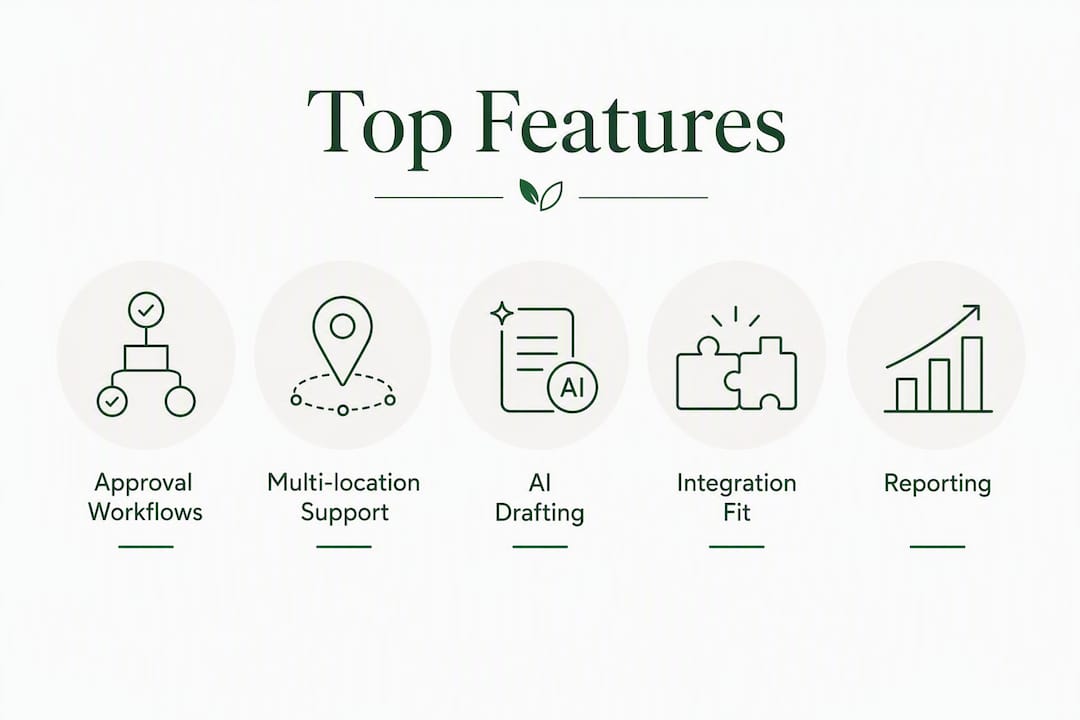
- Why approval workflows are the most important feature for agencies and franchises
- Which tool should you actually choose?
- Key Takeaways
- The part most buyers get wrong about review management software
- Localreviewreply cuts reply time without cutting corners
What does the best review management software actually look like?
The market for review management platforms spans everything from simple widget embedders to full enterprise reputation suites. Gartner Peer Insights describes the core feature set of leading platforms as: a centralized dashboard, automated review requests, sentiment analysis, survey tools, and integrated messaging. That's the baseline. What separates the best tools from the rest is how well they handle AI reply automation with human oversight, multi-location scaling, and agency white-labeling.

Pricing models vary significantly. Most platforms charge per location, per seat, or on a usage basis (per reply or per message). Free trials and demos are common, which makes it practical to validate integrations and approval workflows before committing.
Comparison table: top review management platforms

| Tool | Best for | Pricing model | AI replies & approval workflows | Collection channels | Multi-location support | Integrations | Agency / white-label | Free trial / demo |
|---|---|---|---|---|---|---|---|---|
| Localreviewreply | Agencies, franchises, multi-location local businesses | Per-location subscription; free trial | AI drafts + approval controls for low-star reviews | Email, widgets | Yes — role-based, per-location controls | Google Business Profile, CRMs | Yes — white-label, team roles | Free trial |
| Birdeye | Multi-location enterprises | Custom / per-location | AI replies + workflows | SMS, email, widgets, kiosks | Yes — enterprise-grade | Google, Facebook, Yelp, TripAdvisor, CRMs | Yes | Demo |
| Reviews.io | E-commerce, search visibility | Tiered plans | Limited AI | Email, widgets | Limited | Google, Facebook, Yelp | Limited | Free trial |
| Podium | Messaging + review workflows | Per-location | AI replies | SMS, email | Yes | Google, Facebook, CRMs | Limited | Demo |
| Yext | Brands with large listing portfolios | Per-location / enterprise | Limited AI replies | Email, widgets | Yes | Google, Facebook, Yelp, TripAdvisor, CRMs | Limited | Demo |
| BrightLocal | Local SEO agencies, small businesses | Per-location or per-client | Monitoring, limited AI | Email, widgets | Yes | Google, Facebook, Yelp | Yes — agency dashboard | Free trial |
| Bazaarvoice | Enterprise e-commerce syndication | Enterprise / custom | Limited | Email, widgets | Yes | Google, retailer networks | Limited | Demo |
| Reviewflowz | Automation and alerting | Per-location | Automation rules, alerts | Email, Slack integrations | Yes | Google, Facebook, Yelp, Slack | Limited | Free trial |
| RightResponse AI | Sentiment mapping + AI replies | Subscription | AI replies + sentiment analysis | — | Yes | Google Business Profile | Limited | Free trial |
| Synup | Local listings + review management | Per-location | Limited AI | Email, widgets | Yes | Google, Facebook, Yelp | Yes | Demo |
| NiceJob | Service-business review solicitation | Per-location; low entry price | Automated solicitation | SMS, email | Limited | Google, Facebook, CRMs | Limited | Free trial |
| Grade.us | White-label agency tools | Per-location / white-label | Monitoring, limited AI | SMS, email, widgets | Yes | Google, Facebook, Yelp | Yes — white-label focus | Free trial |
| InMoment | Enterprise CX programs | Enterprise / custom | CX analytics + surveys | Email, surveys | Yes | CRMs, enterprise tools | Limited | Demo |
| Mention | Social listening + reputation | Subscription tiers | Alerts, monitoring | Social, web | Limited | Social platforms, Slack | Limited | Free trial |
| Reputation.com | Large multi-location brands | Enterprise / custom | AI replies + workflows | SMS, email, widgets | Yes — enterprise | Google, Facebook, Yelp, CRMs | Yes | Demo |
| Housecall Pro | Field-service businesses | Per-seat / per-location | Automated requests | SMS, email | Limited | Google, QuickBooks, CRMs | Limited | Free trial |
| Shopper Approved | E-commerce post-purchase | Subscription | Limited | Email, widgets | Limited | Google, e-commerce platforms | Limited | Free trial |
| Experience.com | Healthcare + service surveys | Subscription | Survey + review workflows | Email, SMS | Yes | CRMs, healthcare platforms | Limited | Demo |
| Sprinklr Social | Large enterprise social + reputation | Enterprise / custom | AI + social workflows | Social, email | Yes — enterprise | Social platforms, CRMs | Yes | Demo |
| Feefo | Verified buyer reviews | Subscription | Moderation controls | Limited | Google, e-commerce | Limited | Demo | |
| EmbedReviews | Website review widgets | Subscription | Limited | Widgets | Limited | Google, Facebook, Yelp | Limited | Free trial |
| Okendo | Shopify product reviews + UGC | Shopify-based subscription | Limited | Email, widgets | Limited | Shopify, Klaviyo, Google | Limited | Free trial |
| Klaviyo | Email/SMS + review campaigns | Usage-based | Automation flows | SMS, email | Limited | Shopify, e-commerce CRMs | Limited | Free trial |
| Yotpo | E-commerce reviews + loyalty | Tiered / usage-based | Limited AI | SMS, email, widgets | Limited | Shopify, Google, Facebook | Limited | Free trial |
| Videowise | Video testimonial capture | Subscription | — | Video, widgets | Limited | Shopify, e-commerce | Limited | Free trial |
| NetReputation | Reputation repair services | Service-based / custom | — | — | Limited | — | Limited | Consultation |
| Reputation Pros | Hands-on local reputation services | Service-based / custom | — | — | Limited | — | Limited | Consultation |
| Erase.com | Review removal + remediation | Service-based / custom | — | — | Limited | — | Limited | Consultation |
| ReviewTrackers | Aggregated review tracking | Per-location subscription | Limited AI | Email, widgets | Yes | Google, Facebook, Yelp, TripAdvisor | Yes — agency features | Demo |
| Reputation | Multi-location reputation management | Enterprise / custom | AI replies + workflows | SMS, email, widgets | Yes — enterprise | Google, Facebook, Yelp, CRMs | Yes | Demo |
Pricing snapshot: Per-location pricing is the most common model for agencies and multi-location operators because it scales predictably. Per-seat models suit small teams managing a handful of locations. Usage-based pricing (per reply or per message) can get expensive at volume. When comparing, always calculate your cost at your actual location count, not the entry-level tier.
Mini-reviews: every platform evaluated
Localreviewreply
Best for: Agencies, franchises, and multi-location local businesses that need AI-drafted Google review replies with human approval controls.
Localreviewreply focuses specifically on Google Business Profile replies, which makes it sharper for that job than broader reputation suites. The AI drafts personalized, on-brand responses in seconds. Approval workflows let teams flag low-star or sensitive reviews for human review before anything goes live, which is the right default for any business where a bad reply could do real damage. Role-based permissions and per-location controls make it practical for franchise operators and agencies managing dozens of clients. White-label agency features and team management round out the agency use case.
- Pros: Purpose-built for Google reviews; approval workflows for low-star reviews; multi-location and franchise support; white-label for agencies; free trial
- Cons: Focused on Google Business Profile rather than broad multi-channel monitoring
- Integrations: Google Business Profile, CRMs
- Pricing: Per-location subscription; free trial available
Birdeye
Best for: Multi-location enterprises needing a full reputation and customer experience platform.
Birdeye covers review monitoring, AI replies, SMS and email collection, surveys, and messaging in one platform. Gartner Peer Insights lists it among the leading enterprise reputation management tools. The breadth is its strength and its complexity — onboarding takes longer than lighter tools, and pricing reflects the enterprise positioning.
- Pros: Broad channel coverage; enterprise integrations; strong multi-location support
- Cons: Higher price point; can be more than smaller teams need
- Integrations: Google, Facebook, Yelp, TripAdvisor, CRMs
- Pricing: Custom per-location; demo available
Reviews.io
Best for: E-commerce businesses prioritizing Google Search visibility and review syndication.
Reviews.io specializes in collecting and syndicating reviews to Google Shopping and other search surfaces. Website display widgets are polished. It's less suited to local service businesses or agencies managing Google Business Profile replies at scale.
- Pros: Strong syndication; good website widgets; e-commerce integrations
- Cons: Limited AI reply automation; not built for local service workflows
- Integrations: Google, Facebook, Yelp, e-commerce platforms
- Pricing: Tiered plans; free trial available
Podium
Best for: Local businesses that want to combine review requests with two-way SMS messaging and payments.
Podium's omnichannel messaging is its differentiator. Review requests go out via SMS, and the same inbox handles customer conversations and payment links. SMS collection typically produces higher response rates for local services than email alone, which is where Podium's model pays off. The per-location pricing can climb for larger operations.
- Pros: SMS-first collection; combined messaging and payments; solid Google integration
- Cons: Pricing scales steeply; less focused on AI reply automation
- Integrations: Google, Facebook, CRMs
- Pricing: Per-location; demo available
Yext
Best for: Brands managing large listing portfolios across many directories alongside reputation management.
Yext's knowledge-graph approach keeps business data consistent across hundreds of directories. Review management is part of a broader listings product. For businesses whose primary pain is listing accuracy at scale, Yext makes sense. For businesses whose primary need is review reply automation, it's more than necessary.
- Pros: Unmatched listings management; strong integrations; enterprise-grade
- Cons: Expensive; review reply features are secondary to listings
- Integrations: Google, Facebook, Yelp, TripAdvisor, CRMs
- Pricing: Per-location / enterprise; demo available
BrightLocal
Best for: Local SEO agencies and small businesses that need review monitoring alongside local SEO reporting.
BrightLocal bundles local SEO rank tracking, citation building, and review monitoring into one affordable platform. Agencies value white-label features and bulk onboarding tools because they cut per-location setup time, and BrightLocal delivers both. AI reply automation is limited compared to dedicated reply tools.
- Pros: Strong local SEO reporting; agency dashboard; affordable per-client pricing; white-label
- Cons: AI reply features are basic; not built for high-volume reply workflows
- Integrations: Google, Facebook, Yelp
- Pricing: Per-location or per-client; free trial available
Bazaarvoice
Best for: Enterprise e-commerce brands syndicating product reviews across retail networks.
Bazaarvoice operates at a scale most local businesses never need: syndicating reviews from brand sites to major retail partners. It's an enterprise product with enterprise pricing, built for product review volume, not local service reply workflows.
- Pros: Industry-leading syndication network; strong UGC tools
- Cons: Enterprise pricing; not relevant for local service businesses
- Integrations: Google, retailer networks
- Pricing: Enterprise / custom; demo available
Reviewflowz
Best for: Teams that want real-time review alerts and automation rules without a full enterprise platform.
Reviewflowz sends instant notifications when new reviews arrive and lets you set automation rules by star rating, platform, or keyword. The Localreviewreply vs. Reviewflowz comparison breaks down where each tool fits. Reviewflowz is lighter on AI reply drafting; Localreviewreply goes deeper on approval workflows and multi-location controls.
- Pros: Real-time alerts; clean automation rules; good Slack integration
- Cons: Limited AI reply drafting; thinner multi-location controls
- Integrations: Google, Facebook, Yelp, Slack
- Pricing: Per-location; free trial available
RightResponse AI
Best for: Businesses that want granular sentiment analysis mapped to specific topics alongside AI reply generation.
RightResponse AI breaks down review sentiment by topic (staff, cleanliness, wait time, etc.) and generates replies tuned to those themes. Useful for operators who want to understand what customers are saying, not just respond to it.
- Pros: Topic-level sentiment mapping; AI reply generation; Google Business Profile focus
- Cons: Narrower platform coverage; less agency tooling
- Integrations: Google Business Profile
- Pricing: Subscription; free trial available
Synup
Best for: Businesses that want listings management and review monitoring bundled together for local SEO.
Synup combines local listing management with review aggregation, similar to Yext but at a lower price point. AI reply features are limited. Good for businesses that want one tool for both listings and reviews without enterprise pricing.
- Pros: Listings + reviews in one tool; agency features; reasonable pricing
- Cons: AI reply automation is basic
- Integrations: Google, Facebook, Yelp
- Pricing: Per-location; demo available
NiceJob
Best for: Service-based small businesses that want automated review solicitation and referral programs.
NiceJob automates the ask: it sends review requests via SMS and email after a job closes, then follows up automatically. Referral automation is a genuine differentiator for service businesses. The platform is lightweight and affordable, which makes it the budget pick for solo operators and small teams.
- Pros: Easy setup; automated referral workflows; low entry price
- Cons: Limited AI reply drafting; no deep multi-location controls
- Integrations: Google, Facebook, CRMs
- Pricing: Per-location; low entry price; free trial available
Grade.us
Best for: Agencies that need white-label review management tools they can resell or brand for clients.
Grade.us is built around the agency model: white-label dashboards, client reporting, and review funnel templates. SMS and email collection are included. AI reply automation is limited, so agencies that need high-volume reply drafting will want to pair it with a dedicated reply tool.
- Pros: Strong white-label focus; agency templates; multi-platform monitoring
- Cons: AI reply features are basic
- Integrations: Google, Facebook, Yelp
- Pricing: Per-location / white-label; free trial available
InMoment
Best for: Enterprise organizations running formal CX programs that include reviews alongside surveys and analytics.
InMoment sits in the enterprise CX category, not the local review management category. Its strength is connecting survey data, review data, and operational metrics in one analytics layer. Overkill for most local businesses; genuinely useful for large healthcare systems or retail chains with mature CX programs.
- Pros: Deep CX analytics; survey + review integration; enterprise integrations
- Cons: Enterprise pricing; complex onboarding; not built for local reply workflows
- Integrations: CRMs, enterprise tools
- Pricing: Enterprise / custom; demo available
Mention
Best for: Brands that need social listening and web monitoring alongside review alerts.
Mention tracks brand mentions across social media, news, and review sites. It's a monitoring tool first, a review management tool second. Useful for PR teams and brands that need broad web coverage, less useful for businesses focused on Google Business Profile reply workflows.
- Pros: Broad social and web monitoring; real-time alerts; clean interface
- Cons: Not built for review reply automation; limited multi-location controls
- Integrations: Social platforms, Slack
- Pricing: Subscription tiers; free trial available
Reputation.com
Best for: Large multi-location brands that need centralized reputation controls and enterprise integrations.
Reputation.com covers review management, surveys, social monitoring, and business intelligence in one enterprise platform. It's a direct competitor to Birdeye at the enterprise tier. Strong multi-location controls and CRM integrations make it relevant for national chains and large franchises.
- Pros: Enterprise reputation controls; strong integrations; multi-location management
- Cons: Enterprise pricing; complex setup
- Integrations: Google, Facebook, Yelp, CRMs
- Pricing: Enterprise / custom; demo available
Housecall Pro
Best for: Field-service businesses that want review capture built into their job management workflow.
Housecall Pro is a field-service operations platform first. Review requests go out automatically after a job closes, which is a natural fit for HVAC, plumbing, and cleaning businesses. The review features are solid but secondary to the job management core.
- Pros: Integrated job + review workflow; SMS collection; easy setup
- Cons: Review management is a feature, not the core product
- Integrations: Google, QuickBooks, CRMs
- Pricing: Per-seat / per-location; free trial available
Shopper Approved
Post-purchase review collection for e-commerce merchants, with Google Seller Ratings integration. Straightforward setup; best for online retailers, not local service businesses.
Experience.com
Survey-driven review collection with NPS focus, built for healthcare and service industries. Strong for organizations that want to tie patient or customer experience surveys to public review generation.
Sprinklr Social
Enterprise social and reputation management at scale. Built for large organizations with dedicated social teams. Pricing and complexity put it out of reach for most local businesses and smaller agencies.
Feefo
Verified buyer review platform with moderation controls. Reviews are collected only from confirmed customers, which adds credibility but limits volume. Relevant for e-commerce and service businesses where verified reviews matter more than raw count.
EmbedReviews
Pulls reviews from Google, Facebook, and Yelp and displays them on your website via embeddable widgets. Simple, affordable, and useful for businesses that want social proof on their site without a full reputation platform.
Okendo
Shopify-native product reviews and UGC platform. Deep Shopify integration, loyalty program connections, and strong photo/video review capabilities. Not relevant outside the Shopify ecosystem.
Klaviyo
Email and SMS marketing platform with review request flows built via automation. Most useful for e-commerce brands already on Klaviyo who want to add review collection to existing customer journeys rather than adopt a separate tool.
Yotpo
Commerce-focused reviews, loyalty, and UGC platform. Strong for Shopify and BigCommerce merchants who want reviews and loyalty programs in one place. Less relevant for local service businesses.
Videowise
Video testimonial and review capture for e-commerce brands. Useful for brands where video UGC drives conversion; not a fit for local service review management.
NetReputation
Reputation repair and content suppression services for businesses dealing with negative search results. A services firm, not a SaaS platform.
Reputation Pros
Hands-on reputation management services for local businesses. Combines consulting and software. Suited to businesses that want managed services rather than a self-serve tool.
Erase.com
Review removal and remediation services. Focused on takedown requests and suppression, not ongoing review management. Note: integration with Google Business Profile flags reviews that may violate platform terms, but does not guarantee removals.
ReviewTrackers
Review aggregation and competitive analysis across platforms. Strong for local brands that want to track their own reviews and benchmark against competitors. Agency features and white-label options are available.
Reputation
Enterprise multi-location reputation management with AI replies, surveys, and business intelligence. Competes with Birdeye and Reputation.com at the enterprise tier. Full feature set; enterprise pricing.
How do you choose the right review management software?
The single most important criterion for agencies and multi-location operators is whether the platform supports approval workflows with role-based access. Without that, you're either publishing AI replies without human review (a reputational risk) or doing everything manually (which defeats the purpose).
Integration fit
Start with Google Business Profile. If a tool doesn't connect directly to GBP and pull reviews in real time, it can't do the job for local businesses. From there, check Facebook, Yelp, and TripAdvisor coverage based on where your customers actually leave reviews. CRM integration matters if you want to trigger review requests from job-close or purchase events automatically.
Approval workflows and brand controls
Any platform using AI to draft replies needs a clear approval layer. The right setup: AI drafts a reply, a team member reviews it, and it publishes only after approval. For low-star reviews, that human check is non-negotiable. Ask vendors specifically: Can I require approval for all replies under 3 stars? Can I set different approval rules by location? If the answer is no, move on.
Collection channels
SMS collection drives higher response rates for local service businesses; email and site widgets work better for e-commerce and post-purchase flows. Match the collection channel to where your customers are in the journey.
Multi-location and role-based access
For franchises and agencies, per-location controls and role templates are what make scale possible. You need to be able to onboard a new location without rebuilding permissions from scratch. Ask about bulk location import and role templates during your demo.
White-label and agency features
White-labeling and bulk onboarding tools reduce per-location setup time significantly for agencies. Check whether the white-label tier includes client reporting, custom branding on dashboards, and the ability to manage billing per client.
Reporting and analytics
At minimum, you need reply rate, average rating trend, and review volume by location. Sentiment analysis and topic-level breakdowns are useful for larger operations. Don't pay for analytics you won't act on.
Security, compliance, and support
For healthcare and financial services clients, ask about GDPR compliance, data residency, and SOC 2 status. For support, ask about SLA response times and whether you get a dedicated account manager or a shared queue.
Questions to ask on every demo call:
- Does approval workflow apply per star rating, per location, or both?
- How long does Google Business Profile integration take to set up?
- What happens to a reply draft if no one approves it within 24 hours?
- Is white-label included in the plan I'm evaluating, or is it an add-on?
- What's the per-location cost at my actual location count?
Red flags to watch for: no approval workflow at all; Google Business Profile integration that requires manual export/import; no per-location permissions; pricing that jumps dramatically between tiers.
Pro Tip: Run a two-week pilot on a single location before rolling out to your full portfolio. Test the approval workflow with a mix of 5-star and 1-star reviews, confirm GBP replies publish correctly, and check that your team can complete the approval step on mobile. That two-week window surfaces 90% of the integration and workflow issues before they affect real customers.
How these tools were evaluated
The shortlist and comparison table were built using a structured evaluation across five dimensions: feature completeness, integration depth, ease of setup, agency and multi-location capabilities, and pricing model clarity. Verified user reviews from G2 and Gartner Peer Insights were used to cross-check vendor claims against real user experience. The Zapier 2026 review management roundup and TheCMO 2026 Google review management list were used to validate category-level feature claims and use-case categorizations.
Testing steps covered:
- Google Business Profile connection and real-time review pull
- AI reply behavior: draft quality, tone consistency, and rule-based triggers
- Approval workflow: how low-star reviews are routed and who can approve
- Multi-location onboarding: bulk import, role templates, per-location permissions
- Mobile experience: can a manager approve a reply from their phone?
- Pricing model: total cost at 5, 20, and 50 locations
Data sources used:
- Gartner Peer Insights: Online Reputation Management Software — enterprise feature benchmarks and verified user reviews
- G2: Best Review Management Software — user ratings and feature comparisons
- Zapier 2026 roundup — use-case categorization and collection channel data
- TheCMO 2026 list — Google review workflow categorization and pricing model notes
- Vendor product documentation and public feature pages
Last updated: June 2026. Pricing and features change frequently — always verify current plans directly with vendors before purchasing.
A note on limitations: Pricing figures in this article reflect publicly available information and vendor-stated starting models. Actual pricing depends on location count, contract length, and add-ons. Feature availability can differ between plan tiers. Verify specifics in vendor documentation before making a purchasing decision.
Why approval workflows are the most important feature for agencies and franchises
Approval workflows with human-in-the-loop controls are the feature that separates safe AI reply automation from a liability. For an agency managing many client locations, a single poorly worded AI reply on a 1-star review can damage a client relationship and generate a public PR problem. The approval layer is what prevents that.
The typical workflow pattern looks like this: the AI drafts a reply the moment a new review arrives, that draft enters a review queue, a team member approves or edits it, and it publishes. For high-volume, low-risk cases (4-star and 5-star reviews with no sensitive content), many platforms allow auto-publish rules that skip the manual step. For anything under 3 stars, human review should be required.
Audit trails matter too. You need a record of who approved a reply, when, and what the original AI draft said. That's not just good practice; it's what protects you when a client asks why a specific reply was published.
Implementation tips for safe AI reply use at scale:
- Train the AI on brand voice guidelines before enabling any auto-publish rules
- Set escalation rules by star rating: require approval for all reviews under 3 stars
- Insert location-specific metadata (location name, manager name) into reply templates so replies don't read as generic
- Run a pilot group of 3–5 locations for two weeks before enabling auto-publish across the full portfolio
- Review the audit trail weekly for the first month to catch any edge cases the rules missed
The difference across platform categories is significant. Entry-level field-service tools like Housecall Pro automate the request but offer minimal reply controls. Enterprise platforms like Birdeye and Reputation.com offer full approval workflows but require longer onboarding. Agency-focused tools like Localreviewreply and Grade.us sit in the middle: purpose-built approval controls with faster setup and per-location management.
Pro Tip: Set your escalation SLA before you go live. Decide: if a low-star review draft sits unapproved for a certain time, who gets an alert? Build that escalation into your workflow from day one, not after the first missed reply.
Which tool should you actually choose?
For agencies and multi-location local businesses, Localreviewreply is the strongest fit. It's built specifically for Google Business Profile reply workflows, with approval controls that work at franchise scale and white-label features that agencies need. The per-location pricing model is predictable, and the free trial lets you test the approval workflow before committing.
For enterprise reputation management across many channels and locations, Birdeye and Reputation.com are the right tier. Both offer broader monitoring, CX tooling, and deeper CRM integrations than a Google-focused tool. The trade-off is onboarding complexity and pricing.
For local SEO agencies that need review monitoring alongside rank tracking and citation management, BrightLocal is the practical choice. It's not the strongest AI reply tool, but it covers the full local SEO workflow at an agency-friendly price.
For small service businesses that just need automated review solicitation without a complex platform, NiceJob gets the job done at a low entry price. No approval workflows, no multi-location controls, but the automated ask and referral features work well for solo operators.
For enterprise e-commerce review syndication, Bazaarvoice has no real peer. If you're syndicating product reviews to major retail partners, it's the only platform operating at that scale.
The honest trade-off summary: tools built for one job (Google reply automation, local SEO reporting, e-commerce syndication) do that job better than broad platforms. Broad platforms win on channel coverage and CRM depth but lose on setup speed and per-location cost. Match the tool to the job, not to the longest feature list.
Key Takeaways
For agencies and multi-location businesses, the best review management software combines AI reply drafting with approval workflows, Google Business Profile integration, and per-location controls.
| Point | Details |
|---|---|
| Prioritize approval workflows | Require human review for all replies under 3 stars before enabling any auto-publish rules. |
| Test Google Business Profile integration first | Confirm real-time GBP review pull and reply publishing before evaluating any other feature. |
| Match pricing model to your scale | Per-location pricing is most predictable for agencies; calculate your cost at actual location count, not entry tier. |
| Run a two-week pilot | Test approval workflows, mobile access, and AI draft quality on several locations before full rollout. |
| Localreviewreply for agencies and franchises | Purpose-built Google reply automation with approval controls, white-label features, and multi-location support. |
The part most buyers get wrong about review management software
The most common mistake in this buying process is evaluating tools on feature count rather than workflow fit. A platform with 40 integrations and an enterprise dashboard sounds impressive until you realize your team won't use 35 of those integrations and the approval workflow requires three clicks more than it should.
The second mistake is treating AI reply automation as a set-and-forget feature. Every AI reply system needs a tuning period: the first two weeks of drafts will surface gaps in brand voice, edge cases the rules don't handle, and location-specific details the AI gets wrong. Businesses that skip the pilot and go straight to auto-publish are the ones that end up with a generic reply on a 1-star review that makes the situation worse.
What actually matters for most agencies and local businesses is narrower than the vendor demos suggest: Does it connect to Google Business Profile reliably? Does the approval workflow work on mobile? Can you onboard a new location in under 30 minutes? Those three questions eliminate more bad choices than any feature matrix.
Localreviewreply is the tool I'd point agencies and franchise operators to first, not because it has the longest feature list, but because it's built around the specific workflow that matters: draft, review, approve, publish, at scale, without the overhead of an enterprise platform.
Localreviewreply cuts reply time without cutting corners
Responding to every Google review manually across 10, 20, or 50 locations isn't a workflow problem. It's a math problem. Localreviewreply solves it by drafting personalized, on-brand replies in seconds, routing sensitive reviews through an approval queue, and giving franchise operators and agencies the per-location controls they need to stay consistent at scale.

The difference from a generic reputation platform: Localreviewreply is built specifically for Google Business Profile reply workflows, not bolted onto a broader CX suite. That focus means faster setup, cleaner approval controls, and white-label features that agencies can actually use without a six-week onboarding process.
Start with the free trial to test AI draft quality and approval workflows on your own locations. If you manage multiple locations or agency clients, the multi-location and franchise features are worth a close look before you commit to any platform.