
Reply briefly and factually to protect your credibility with future customers, then document everything and report the review through Google's official tools. Do not argue publicly, do not accuse the reviewer by name, and do not offer money or discounts for removal. Google only deletes reviews that violate its content policies, not reviews that are simply negative, so your reporting has to map to a specific policy category to have a shot at working.
Here's the immediate sequence:
- Screenshot the review and the reviewer's profile before it can be edited or deleted.
- Post a short, calm public reply that doesn't confirm or deny details the reviewer got wrong.
- File a report through Google's Reviews Management Tool, choosing the policy category that fits.
If the reviewer is demanding payment or threatening to keep posting negative reviews unless you comply, stop treating it as a normal dispute. That's extortion, and it has its own reporting path through Google, plus a federal one through the FTC.
Key Takeaways
Handling a fake Google review well means responding briefly in public, documenting everything privately, and reporting through the correct policy category before appealing.
| Point | Details |
|---|---|
| Reply briefly first | Post a short, factual public reply that doesn't confirm details or name the reviewer. |
| Build an evidence packet | Screenshot the review and profile, pull CRM records, and log every report action with case IDs. |
| Match the right policy category | Reports mapped to one specific violation, like impersonation or spam, get better appeal outcomes. |
| Escalate extortion separately | Use Google's dedicated extortion form and report coordinated schemes to the FTC. |
| Automate drafting, keep human approval | Localreviewreply drafts on-brand replies fast while routing sensitive reviews through approval before posting. |
This article is general information, not a substitute for advice from a qualified lawyer. Consult a qualified legal professional about your own circumstances before acting on anything here.
Table of Contents
- How to spot signs a Google review may be fake
- Document and preserve evidence before you change anything
- How to write a short public reply that protects your reputation
- Report and appeal: exact steps in Google Business Profile
- If Google refuses removal: escalation options
- Prevention and reputation repair: build a steadier review base
- Local Review Reply: draft safe responses without slowing your team down
- Sources
How to spot signs a Google review may be fake
Not every one-star review is fake, and treating every angry customer like a bot wastes your reporting credits with Google. The distinction matters because Google's system evaluates patterns, not just tone.
Watch for these signals before you decide whether to reply or report:
- Thin profiles. A reviewer account created days ago, with no photo and zero other reviews, is a common marker of fake activity.
- Vague language. Real customers usually mention a specific service, staff member, or product. Fake reviews tend to use generic phrases like "terrible service" or "would not recommend" with no detail.
- Cluster timing. Several similar one-star reviews landing within hours or days of each other, especially using near-identical wording, points to coordinated posting.
- Service mismatch. The reviewer describes a service you don't offer, a location you don't have, or a transaction date with no matching record in your system.
- Follow-up demands. A message or email arriving after the review, asking for payment or a favor in exchange for taking it down, confirms extortion rather than a genuine complaint.
Google's own contribution policy spells out which categories, like spam, impersonation, and off-topic content, actually qualify for removal. A harsh but honest opinion about slow service does not qualify, no matter how unfair it feels.
Document and preserve evidence before you change anything
Evidence quality decides whether an appeal succeeds or gets rejected on the first pass. Gather it methodically before you touch your Google Business Profile or reply publicly.
- Capture full-page screenshots of the review itself and the reviewer's profile, including the posting date and their review history.
- Copy the direct review URL so you can reference the exact listing in any report or appeal.
- Pull your CRM, appointment, or point-of-sale records for the date and service the reviewer mentions, showing no matching customer.
- Save any messages demanding payment, threatening further reviews, or referencing the dispute outside the review itself.
- Log every action you take, including the date you reported it, the tool used, and any case ID Google assigns.
BrightLocal's guidance on fake reviews recommends gathering as much supporting evidence as possible before filing anything, since a thin report is easy for an automated reviewer to dismiss.
Pro Tip: Keep one running document, a simple spreadsheet works fine, listing the review URL, screenshot file name, report date, and status update. When Google asks for the same information twice, which happens often, you won't have to dig for it again.

How to write a short public reply that protects your reputation
Your reply isn't really for the reviewer. It's for the next hundred people who read that review before deciding whether to call you. A calm, factual response does more to protect your credibility than a lengthy defense ever will.
Keep the wording simple: acknowledge the review exists, state you have no record of the transaction, invite the person to contact you directly, and mention (if true) that you've reported it to Google. Never name the reviewer, never share private customer details in a public thread, and never offer a refund or discount just to make a bad review disappear, that can look like an admission of fault and invites more of the same behavior.
Two short templates cover most situations:
Use the first when the mismatch is clear. Use the second when it's genuinely ambiguous and you want to leave room for a real customer to follow up.
Report and appeal: exact steps in Google Business Profile
You can flag a review directly in Search, in Maps, or inside your Business Profile dashboard, but the Reviews Management Tool inside your Business Profile is the version built for owners who need to track a case with evidence attached, according to Google's own support documentation.
- Open the review in your Business Profile and select the flagging option.
- Choose the specific policy category it violates, such as spam, conflict of interest, impersonation, off-topic content, or harassment. Picking the wrong category is one of the most common reasons a report gets rejected.
- Attach your evidence packet, mapped clearly to that one category rather than a scattered list of complaints.
- Submit the report and note the case ID Google provides.
- Use your one-time appeal if the initial decision comes back unfavorable, since Google generally allows a single appeal per review.
Expect a status label like "decision pending," "reviewed, no policy violation," or "escalated," and don't expect an instant answer. Google has removed hundreds of millions of policy-violating reviews using automated detection, but manually created fake reviews often slip past automation, which is exactly why the appeal step exists.
If Google refuses removal: escalation options
A rejected appeal isn't necessarily the end of the road. If the review involves a demand for payment or a threat, use Google's dedicated extortion reporting form rather than resubmitting the same standard report.
- Escalate through GBP support channels, including live chat, phone support, or the Google Business Profile Community forum, referencing your case ID and evidence each time.
- Consider legal action only when the review contains provably false factual claims that caused measurable harm, defamation law generally requires more than "this is unfair." The typical sequence runs cease-and-desist letter, then a formal complaint, then a court order compelling removal if a platform won't act voluntarily.
- Report coordinated fake-review schemes to the FTC. The agency's Consumer Review Rule now gives it direct enforcement authority against businesses or individuals who create, buy, or sell fake reviews.
Legal steps take time and money that most small operators would rather not spend, which is why the next section matters more than any single dispute.
Prevention and reputation repair: build a steadier review base
One fake review does more damage to a business with twelve total reviews than one with four hundred. That math alone makes ongoing review generation your best long-term defense, and it's a more reliable protection than any single removal request.
- Ask satisfied customers directly, right after a good interaction, when they're most likely to say yes.
- Automate review requests through email or text, but keep the ask itself simple and never incentivize positive reviews specifically, that violates Google's policies too.
- Standardize your reply templates so every team member responds consistently, whether the review is glowing or suspicious.
- Set up monitoring alerts for new reviews so you catch coordinated attacks within hours, not weeks.
- Require approval for sensitive replies. Route anything involving a low-star or legally touchy review through a manager before it posts.
- Keep one evidence log for the whole team, so if a pattern of fake activity emerges, you're not piecing together history from five different inboxes.
Practical priorities when facing a fake-review attack
Keep the public reply short and factual, document everything before you touch anything else, and skip the emotional back-and-forth entirely, it never helps and often makes the review more visible. Drafting can be automated to save time, but contentious low-star replies still deserve a human's eyes before they post. Most of your energy should go toward prevention: steady legitimate reviews and consistent monitoring beat any single dispute.
— Ryan
Local Review Reply: draft safe responses without slowing your team down
Localreviewreply gives you speed without handing over judgment calls a human should make. It drafts on-brand replies to every incoming Google review in seconds, but sensitive or low-star reviews route through an approval workflow before anything goes public, so a suspicious or borderline review never gets a reply that makes things worse.
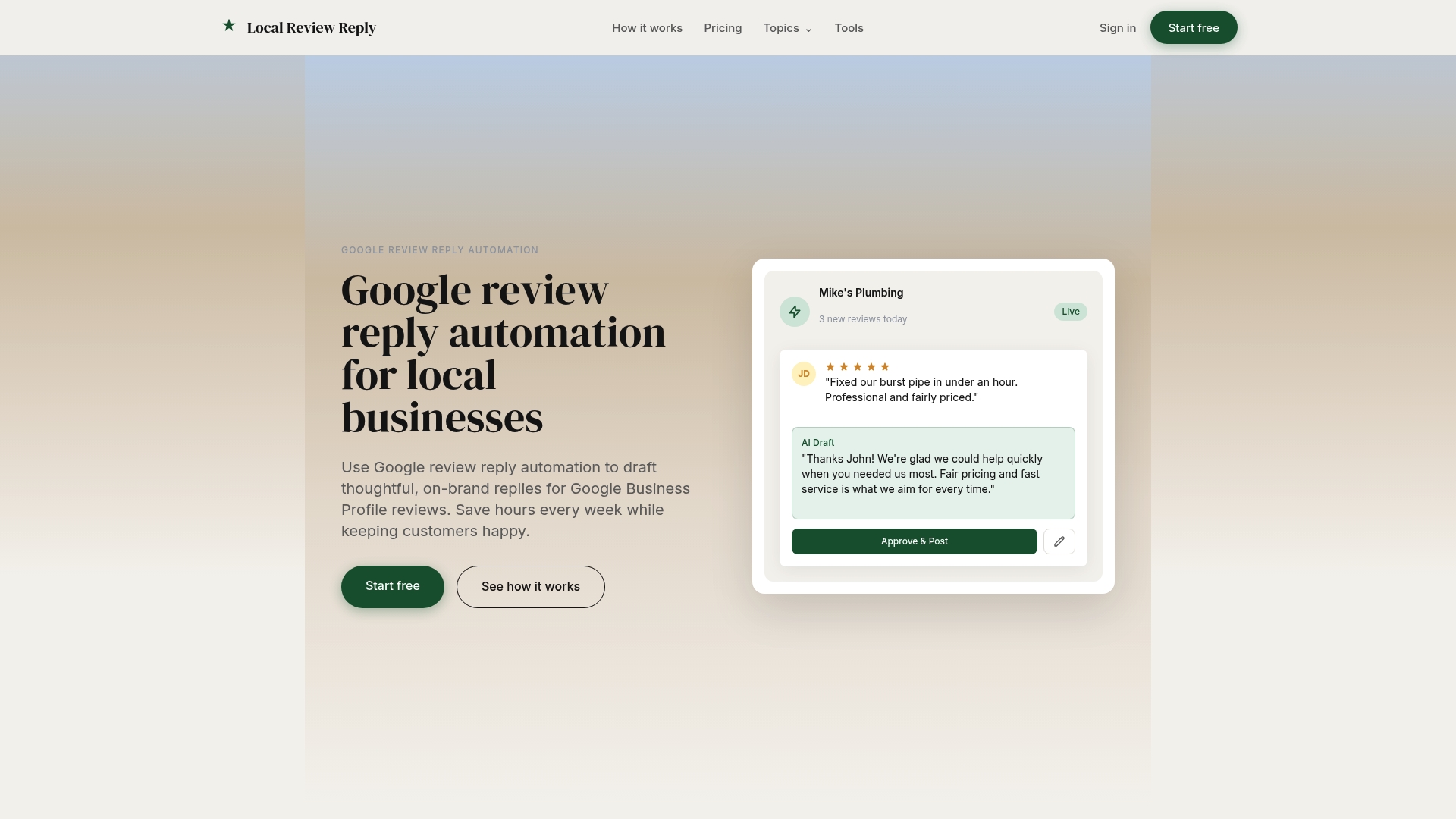
For franchises and multi-location operators, that consistency matters more as the review volume grows. Instead of every location manager improvising their own wording for a suspected fake review, your team works from the same reply logic and the same approval structure, whether that's ten locations or a hundred. Local Review Reply doesn't replace the reporting and appeal process described above, but it does mean the public-facing side of your response, the part every future customer actually reads, stays professional and consistent while you handle the Google reporting steps separately. Try the free AI review response generator to see a drafted reply for your next questionable review before you decide how to handle it.