
The fastest safe way to scale Google review replies is a hybrid system: auto-post clearly positive replies, route anything ambiguous or negative to a human with an AI-drafted starting point, and log every action. This guide covers the categories, workflow, templates, tools, governance, and metrics you need to run that system across dozens or hundreds of locations, including where a platform like Local Review Reply fits as a direct solution.
TL;DR:
- Combining star ratings with sentiment analysis ensures accurate routing of reviews, especially for high-star reviews with negative language or edge cases involving health or legal issues.
- Automation via API, supported approval workflows, and designated ownership help scale responses across many locations while maintaining control and compliance.
- Templates should include specific variables and be short to feel personal, while sensitive reviews require fully personalized, human-crafted replies.
- Clear approval thresholds, with designated roles and regular audits, prevent automated replies from misrepresenting the brand or legal risks.
- Key metrics like response rate, response time, auto-post percentage, template usage, and reply quality help monitor and improve the system’s accuracy and speed.
Table of Contents
- How Should You Categorize Reviews to Scale Google Review Replies?
- What Does the Review Reply Workflow Look Like Step by Step?
- How Do You Build a Template Library That Still Feels Personal?
- What Tools Actually Reduce Friction When Scaling Replies?
- Who Should Own Approvals, and What Are the Guardrails?
- What Should You Measure to Know the System Is Working?
- How Local Review Reply Applies This Playbook
- What Actually Separates a Working System From a Risky One
- Try the Hybrid Approach With Local Review Reply
- Sources
- FAQ
How Should You Categorize Reviews to Scale Google Review Replies?
Every review needs a category before it needs a reply. Without one, you either auto-post something that embarrasses the brand or drown your team in manual work that never gets ahead of the queue.
Four categories cover nearly every case:
- Positive (4 to 5 stars): Clear praise, no complaint buried inside. Safe for automated drafting and auto-post.
- Neutral (3 stars): Mixed signals. Usually needs a human glance, even if the reply itself is templated.
- Negative (1 to 2 stars): Any complaint, safety concern, or refund request. Always routed to a person.
- Suspected spam or fake: Reviews with no purchase history, generic text, or competitor mentions. Flag for reporting, not reply.
Star rating alone is a weak signal. A 4-star review that says "would not recommend, staff was rude" is not a positive review wearing a high number. That's why sentiment analysis has to sit alongside the star count, not behind it. Combine the two: if the star rating is high but the language scores negative, treat it as negative for routing purposes.
Response-time targets should scale with risk, not convenience. Positive reviews can wait a day or two without damage. Negative reviews need a same-day response, ideally within a few hours, because BrightLocal's research finds most consumers read how a business responds to reviews before deciding whether to trust it. Slow responses to complaints read as indifference, not busyness.
Watch for edge cases that break simple rules: a 4-star review with an angry comment, a review mentioning a medical condition or injury, or language suggesting legal action. These should always escalate regardless of star rating, because the downside of a wrong automated reply is much larger than the cost of a short delay.
What Does the Review Reply Workflow Look Like Step by Step?
Scaling replies to customer feedback across many locations only works if reviews land in one place first. Pulling reviews location by location from the Google Business Profile dashboard does not scale past a handful of sites.
- Centralize ingestion. Pull reviews from all locations into a single dashboard or via API polling, and de-duplicate by review ID so the same review never enters the queue twice.
- Score sentiment automatically. Run each review through a sentiment filter that combines star rating and language analysis, then sort into auto-post or hold queues.
- Apply routing logic. A simplified rule might read: if rating is 4 or 5 AND sentiment is positive AND no flagged keywords, auto-post; otherwise, send to human approval queue.
- Push to an approval queue. Negative and neutral reviews go to a named approver with an AI-drafted reply attached, not a blank box.
- Enable one-click approval. Mobile or email notifications should let an approver read, edit if needed, and approve in under thirty seconds. Zapier's automation guidance on AI-assisted review responses backs this pattern: friction kills consistency faster than volume does.
- Log everything. Every draft, edit, and approval gets a timestamp and an actor. This audit trail matters later for training and for defending a decision if a reply gets questioned.
- Publish idempotently. Before posting, check whether that review ID already has a published reply. This single check prevents the double-posting that happens when polling overlaps or a request times out and retries.
Pro Tip: Set your approval queue to expire stale drafts after 48 hours and re-flag them, rather than letting a negative review sit unanswered because an approver missed the notification.
SLAs only work when someone owns the queue. Assign a backup approver for every market so a single vacation day doesn't turn into a week of unanswered complaints.
How Do You Build a Template Library That Still Feels Personal?
A template for Google review replies fails the moment a customer recognizes it as one. The fix isn't fewer templates, it's better-built ones.
Every template needs five required variables filled in before it can post: [Name], [Service or Product], [Specific Detail] referencing what the customer actually said, a [Call to Action] where relevant, and a [Signature] naming the location or manager. A reply missing the specific detail reads as copy-paste even when the sentiment is genuine.

Name templates with a consistent convention, something like Industry_Sentiment_Scenario_v2, for example HomeServices_Positive_QuickJob_v1. Version control matters once you have multiple people editing a shared library. A starter library of 10 to 15 templates covering the common scenarios (fast service praise, price complaints, scheduling issues, staff callouts) handles the majority of incoming reviews without leaving your team scrambling for wording. Local Review Reply's home services template set shows how this looks in practice for trade businesses specifically.
Keep templates short. Two to three sentences reads as attentive; a paragraph reads as defensive, especially on a negative review.
Some situations should never touch a template at all:
- Any review mentioning a medical condition, injury, or health outcome.
- Any review referencing legal action, discrimination, or harassment.
- Detailed complaints with specific dollar amounts or names of staff.
- Anything where a scripted reply could look like an admission of fault.
These go to a full custom reply written by a trained human, every time.
What Tools Actually Reduce Friction When Scaling Replies?
The Google Business Profile API supports listing reviews across multiple locations and posting replies programmatically through the accounts.locations.reviews.reply endpoint. That single endpoint is what makes true multi-location automation possible instead of forty people logging into forty dashboards.
Posting through the API requires proper account-level permissions, and Google's own support documentation lays out who is authorized to reply on a business's behalf and what content restrictions apply. Get this wrong and you risk losing reply access entirely for a location, not just one bad post.
Notification integrations decide whether your approval queue actually gets worked or quietly backs up. Trustpilot's guidance on managing responses recommends filtering by rating and connecting to tools like Slack or a helpdesk platform such as Zendesk so approvers see flagged reviews where they already work, not in a separate tab they forget to check.
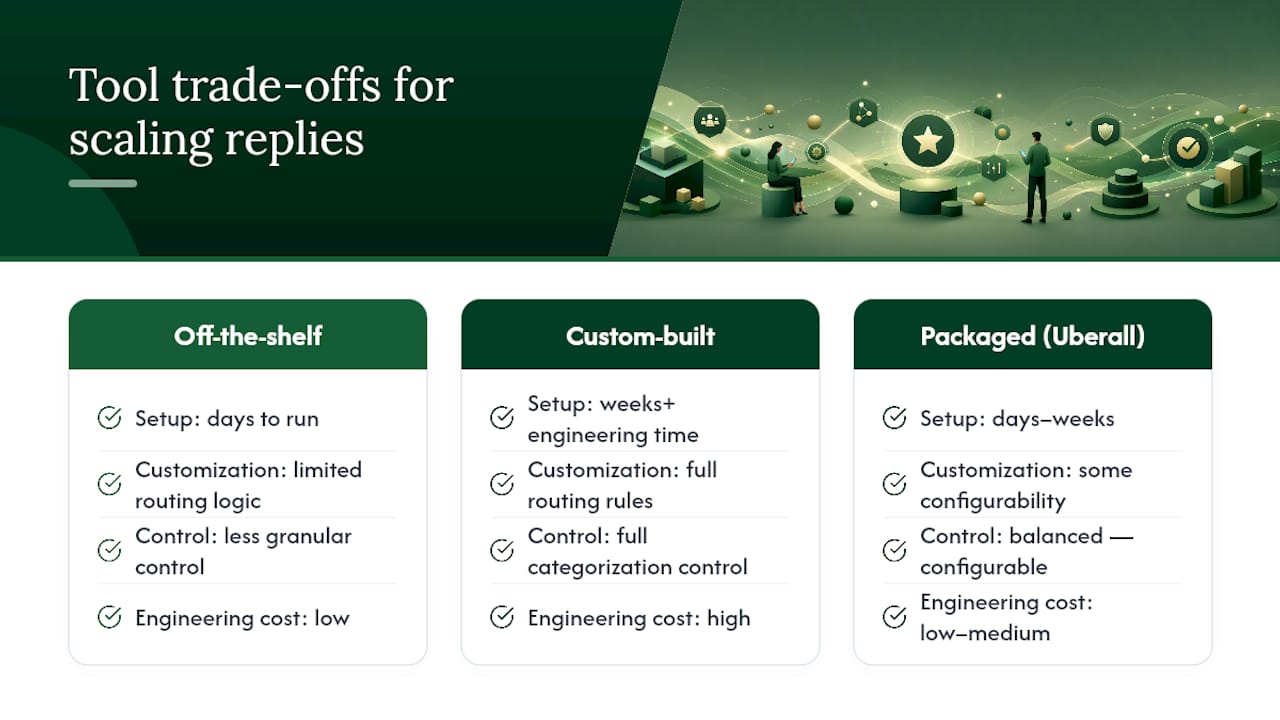
The real trade-off is speed versus control. Off-the-shelf platforms get you running in days but limit how routing logic can be customized. Custom-built pipelines give full control over categorization rules but take engineering time most multi-location operators don't have sitting idle. Some review management products, Uberall among them, package AI drafting, approval gates, and analytics together specifically to skip that build decision entirely.
Security matters more with multiple locations, not less. Every added integration is another place credentials can leak, so limit API access to the minimum scopes needed and rotate access when staff turnover happens.
Who Should Own Approvals, and What Are the Guardrails?
Scaling replies to customer feedback breaks down fast without clear ownership. Three roles cover most organizations:
- Central moderator: Owns the queue, sets routing rules, and monitors volume across all locations.
- Local representative: Approves or edits drafts for their specific location, since they know the customer and the context.
- Legal or PR escalation contact: Handles anything involving safety claims, discrimination, or threatened legal action.
Approval policy should be explicit, not assumed. Any review at 1 or 2 stars requires manual approval, always. Reviews mentioning health, safety, or legal terms escalate regardless of star rating. Guidance from Authority Solutions recommends building a risk matrix by industry: a healthcare or legal practice should escalate a larger share of reviews to a human than a landscaping company would, simply because the cost of a wrong reply is higher.
Brand voice rules should explicitly ban admissions of fault in regulated industries and any statement that could reveal private customer details, which matters even more for healthcare-adjacent businesses.
Pro Tip: Run a monthly audit where the central moderator reads ten random published replies per location and scores them against your brand voice rubric. This catches drift before it becomes a pattern.
What Should You Measure to Know the System Is Working?
Five numbers tell you whether your approach to optimizing Google review responses is actually working or just moving fast.
| Metric | What it tells you |
|---|---|
| Response rate | Share of reviews that get any reply at all |
| Average response time | Speed by category (positive vs. negative) |
| Percent auto-posted | How much load automation is genuinely carrying |
| Template usage rate | Whether templates or full customization dominate |
| Quality score | Human-rated accuracy and tone on a sample |
Run a monthly quality audit on a sample of published replies, scored against a simple rubric: correct facts, on-brand tone, and appropriate personalization. Set alerts for anything unusual, a sudden spike in negative reviews at one location, or the same complaint theme showing up across multiple sites, since that pattern usually points to an operational problem worth fixing before it shows up in more reviews.
How Local Review Reply Applies This Playbook
Local Review Reply builds around this exact hybrid model: AI drafts a reply for every incoming review, positive reviews can auto-post under rules you set, and anything sensitive or low-star routes to an approval queue before it goes live. Multi-location and franchise accounts get shared template libraries with the personalization variables described above built in.
Practical starting configuration: set your auto-post threshold at 4 stars and above with no flagged keywords, assign a mobile approver per region for anything below that, and require the five core template variables on every draft before it can be approved...
What Actually Separates a Working System From a Risky One
Most advice on this topic focuses on speed: reply faster, reply to everything, never leave a review unanswered. That's incomplete. Speed without a human gate on negative reviews is how a business ends up with a viral screenshot of an AI reply that missed the point of a customer's complaint entirely.
The conventional wisdom undersells how much of this is a governance problem, not a technology problem. Any tool can draft a reply in seconds. The harder work is deciding, in writing, which reviews a machine is allowed to answer alone and which ones require a person to read every word first. Businesses that skip that decision end up either too cautious (a manager reading every single review, burning hours a week) or too loose (auto-posting a template onto a review it was never designed for).
If you take one thing from this guide, make it the approval threshold. Decide today, in a document your team can reference, exactly which star ratings and keywords force human review. Everything else, the templates, the tools, the dashboards, works better once that line is drawn clearly.
— Ryan
Try the Hybrid Approach With Local Review Reply
If you're managing replies across multiple locations by hand, or copying the same three templates into every dashboard, Local Review Reply exists to take that load off without taking you out of the loop. It pairs AI-drafted replies with approval controls built specifically for sensitive and low-star reviews, so your team reviews the borderline cases and lets the clear ones move fast.
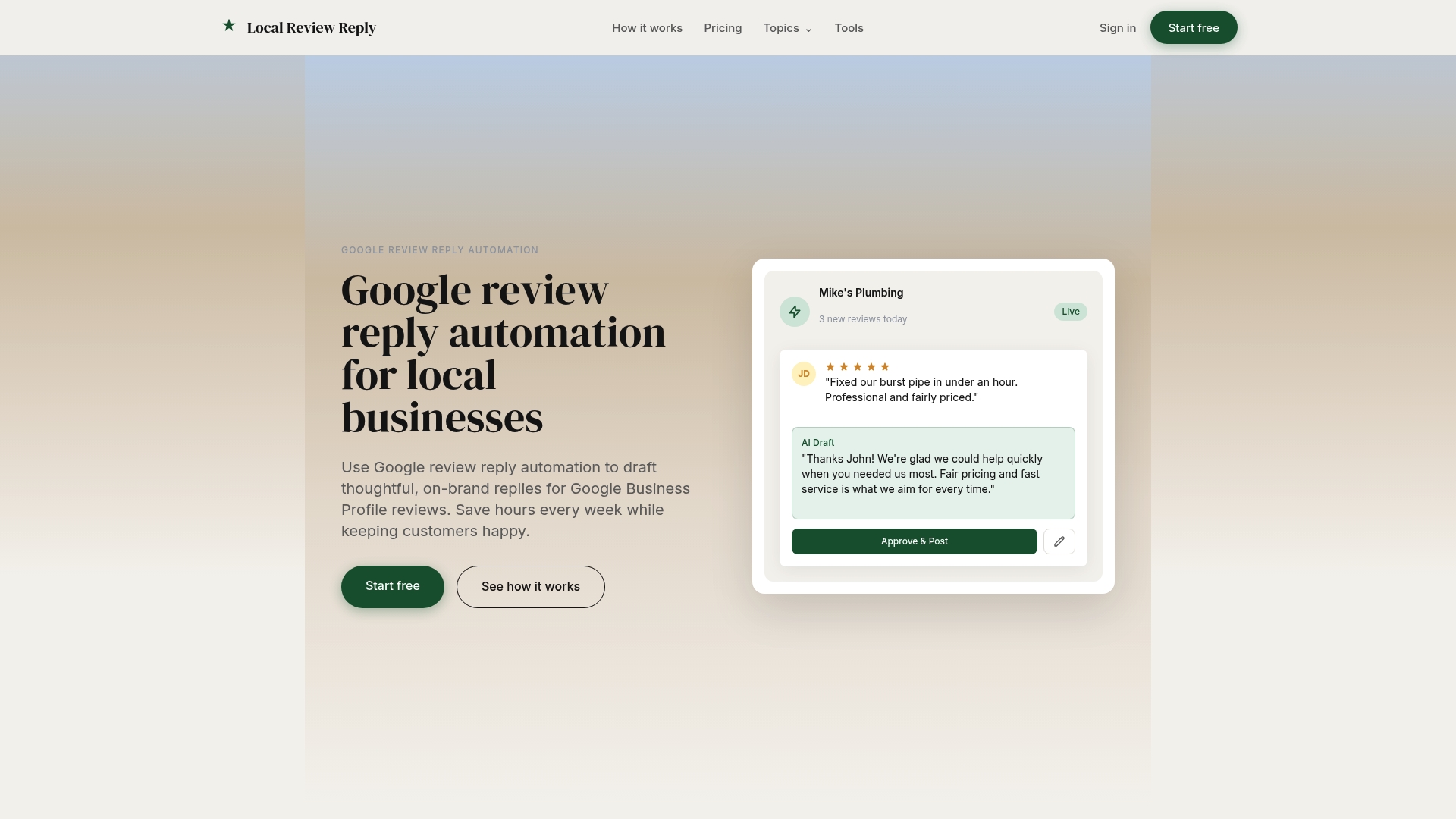
The features overview shows how the drafting, approval workflow, and multi-location dashboard fit together, and plans on the pricing page scale from a Free tier up through Starter, Growth, and Scale plans based on location count and reply volume. If you want to see what an AI-drafted reply looks like before committing to anything, the free review response generator is a quick way to test the drafting quality on an actual review from your business. Start there, then decide if the full workflow fits your locations.
Sources
FAQ
What Are Some Good Replies to Google Reviews?
Strong replies thank the customer by name, reference something specific they mentioned, and close with a relevant next step, rather than a generic "thanks for your feedback." Positive replies can stay brief; negative replies should acknowledge the issue directly and offer a path to resolve it offline.
How Do I Respond to an Inaccurate Google Review?
Reply calmly and factually without disputing the customer publicly in detail, then invite them to contact you directly to resolve the discrepancy. Avoid defensive language or naming specific staff, since that can escalate the situation and reflect poorly on the business regardless of who is right.
Is It a HIPAA Violation to Respond to a Google Review?
Confirming that someone is a patient, or referencing any health details in a public reply, can create HIPAA exposure for healthcare providers. The safest approach is a neutral, non-specific reply that invites the reviewer to contact the office directly, with no health or treatment details mentioned.
Can I Edit a Response to a Google Review?
Yes, replies posted through Google Business Profile can be edited or deleted after publishing, either through the dashboard or via the API. Keeping an audit log of edits matters for multi-location teams, since it shows what changed and who approved it.