
A sudden wave of one-star reviews with similar wording, posted within hours of each other by accounts with no history, means you're looking at coordinated review bombing on Google, not organic backlash. The first move isn't to argue in the replies. It's to screenshot everything, flag each review through Google's reporting tools, and check whether any message includes a payment demand, which changes your reporting path entirely. Removal takes days, so start rebuilding your genuine review pipeline in parallel rather than waiting on Google's decision.
TL;DR:
- Coordinated review bombing typically features a rapid influx of reviews from accounts with little to no history, often with identical wording and unrelated complaints.
- Rapid response involves documenting all reviews via screenshots, exporting review lists, and maintaining an incident log, while avoiding public replies for several hours.
- Reporting should match the review violation type, with batch options available through Google's Management Tool, and escalation is necessary if initial reports are denied or stall.
- Collect strong, organized evidence including permalinks, reviewer profiles, timestamps, and contradicting records to speed up removal during investigations.
- Authentic review recovery relies on timely, genuine feedback solicitations, strict monitoring, and preparing templated replies to handle public responses efficiently.
Table of Contents
- How Do You Confirm It's Coordinated Review Bombing?
- How Do You Report Fake Reviews to Google?
- What Evidence Should You Collect and Package?
- Should You Reply Publicly During a Review Bomb?
- How Do You Rebuild Your Rating After an Attack?
- When Should You Involve Law Enforcement or a Specialist?
- An Operator's Note on Staying Level-Headed
- How Local Review Reply Helps You Respond at Scale
- Sources
How Do You Confirm It's Coordinated Review Bombing?
Real complaints trickle in over weeks and reference specific, verifiable details. A review bombing attack looks different: a burst of five, ten, or fifty reviews landing in a tight window, often overnight, from profiles with zero review history or a join date days old. Watch for phrasing that repeats across reviews almost word for word, and complaints about things unrelated to your actual service (politics, a news story, a dispute the reviewer wasn't party to).
Once you spot the pattern, move fast but methodically:
- Name one incident owner. One person runs point on documentation and reporting so nobody duplicates effort or sends mixed signals to Google.
- Hold off on public replies for a few hours. Rushing out defensive responses before you understand the scope usually makes things messier.
- Screenshot every review's permalink, including the reviewer's profile page, before anything gets edited or deleted.
- Export your review list from Google Business Profile so you have a clean before/after record.
- Start an incident log with timestamps, reviewer names, and a short note on each review's content.
What not to do matters just as much as the checklist. Never pay anyone demanding money to remove reviews. Don't call out named individuals or competitors by name in a public reply, even if you're confident who's behind it. And resist the urge to mass-flag every review in sight using the same generic reason. Google's systems weigh specific, well-supported reports more heavily than a flood of vague ones.
Pro Tip: Keep the incident log in a shared spreadsheet, not someone's personal notes app. If this drags on for two weeks, you'll want a single source of truth everyone on your team can reference.
How Do You Report Fake Reviews to Google?
Google gives you three distinct reporting paths, and using the right one for the right situation saves time.
- Flag individual reviews. Open the review in Google Search or Maps, click the three-dot menu next to it, select "Report review," and choose the reason that matches (spam, fake engagement, off-topic content). Do this for every review that violates Google's user-contributed content policy, which explicitly bars fake engagement and spam.
- Use the Reviews Management Tool inside your Business Profile dashboard for batch reporting when you're dealing with more than a handful of reviews at once. It also lets you track the status of each report you've filed.
- Submit a one-time appeal if your initial reports get denied but you believe the decision was wrong. Google's Business Profile help center confirms flagged reviews carry status messages, and removal decisions can take several days to process.
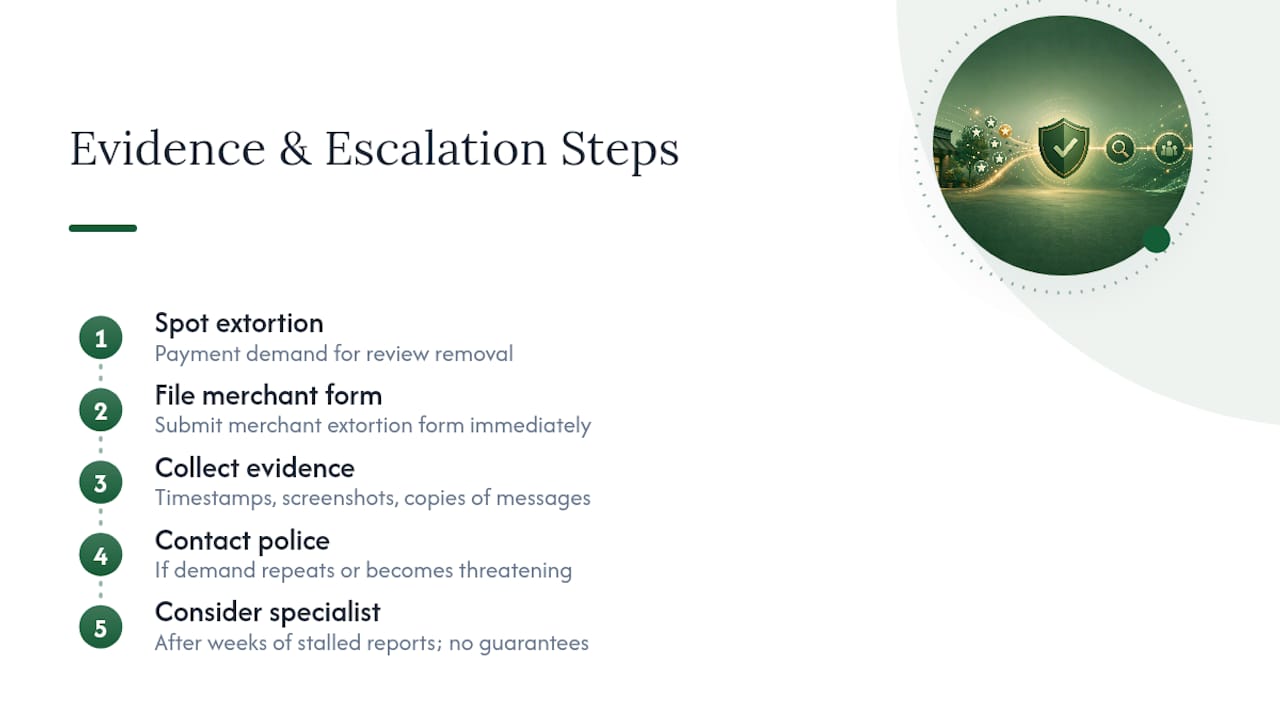
- File the merchant extortion form immediately if any review or accompanying message demands payment in exchange for removal. This routes directly to Google's Trust & Safety team rather than the standard review queue, according to Google's merchant extortion guidance.
- Escalate through the Google Business Profile Community if your reports stall after a reasonable window. Bring your Case IDs from earlier flagging steps, a tight summary of the pattern (timing, account ages, repeated language), and screenshots. Product Experts and Google staff monitor that forum, and framing your post around the phrase "coordinated review attack" helps route it correctly, based on guidance from Local Owl's removal playbook.
Google also runs automated protections that can temporarily pause new reviews on a profile under active attack, displaying a banner while contributions are restricted. If you see that banner, it's a signal Google's systems already flagged unusual activity on your listing.
What Evidence Should You Collect and Package?
Google and law enforcement both move faster on well-organized evidence than on a pile of screenshots dumped into an email.
- Permalinks for every suspect review, captured before you file any reports
- Screenshots of each reviewer's profile, showing account age and review history
- A timestamp cluster screenshot showing how tightly the reviews landed together
- Booking records, sales logs, or appointment data that directly contradict false claims
- Case IDs from every report you've already filed, organized in one timeline
Reports built around a clear pattern summary, matched against internal records, tend to resolve faster than reports lacking that structure. According to Local Owl, well-documented coordinated attacks with strong evidence often get resolved within a couple of weeks; thin or scattered evidence tends to stall.
One caution: redact customer phone numbers, emails, and any personal details before sharing your evidence packet outside your team, and never post internal booking records publicly in a reply.

Should You Reply Publicly During a Review Bomb?
Hold off for the first 24 hours unless a short, calm blanket statement genuinely helps calm your regular customers who see the sudden rating drop. After that window, a brief, neutral reply that invites the person offline usually beats silence or an argument.
- Clearly fake review, no real interaction: "We have no record of this visit and have reported this review to Google for verification."
- Off-topic complaint unrelated to your business: "This review doesn't appear related to our services. We welcome feedback from actual customers at [contact info]."
- Competitor or false-claim accusation: "We take feedback seriously but have no record matching these details. Please contact us directly so we can look into this."
- Genuine complaint mixed into the noise: "We're sorry to hear this. Please reach out to us directly at [contact info] so we can make it right."
Keep every reply factual and short. Never accuse a specific person or business by name, never share private booking or payment details in a public reply, and never let frustration creep into the tone. A defensive or angry reply gets screenshotted and shared faster than the original fake review did.
Pro Tip: Draft your four template replies before an attack ever happens. Having them ready means your team responds in minutes, not hours, once the pressure is on.
How Do You Rebuild Your Rating After an Attack?
Recovery runs on two tracks at once: genuine review acquisition and disciplined monitoring. Neither works alone.
- Ask happy customers for reviews at the moment service wraps up, when satisfaction is highest, rather than in a batch email weeks later.
- Never offer discounts or incentives tied to leaving a review; that violates Google's content policy and puts your legitimate reviews at risk too.
- Build a consistent ask into your workflow, whether that's a text after a job, a card at checkout, or a follow-up email.
- Set daily alerts for new reviews so you catch problems before they compound.
- Define a response SLA, such as replying to every new review within 24 to 48 hours.
- Track review volume, average rating, and call or booking volume weekly, and note your time-to-recovery once the rating stabilizes.
A tool like Quotewren can help convert completed jobs into paid work and review requests in one motion, which keeps the genuine review pipeline moving without relying on memory or manual follow-up.
When Should You Involve Law Enforcement or a Specialist?
File the merchant extortion form the moment you see a payment demand tied to review removal, and contact police if the demand repeats or escalates into direct threats. Courts and investigators generally want the same evidence you've already gathered: timestamps, screenshots, and copies of any communication. Consider a reputation specialist or attorney only after platform tools and documented reporting have stalled for weeks, and go in with realistic expectations. Nobody can guarantee removal or a rating outcome, no matter what they promise upfront.
An Operator's Note on Staying Level-Headed
Review bombing tests your patience more than your strategy. Document everything, file your reports correctly, and keep asking real customers for reviews regardless of what Google decides. Whether removal comes in three days or three weeks, the businesses that recover fastest are the ones that kept serving customers instead of refreshing their dashboard.
— Ryan
How Local Review Reply Helps You Respond at Scale
Local Review Reply is the practical alternative to drafting every reply from scratch during a crisis, especially once you're juggling dozens of flagged reviews, a Case ID list, and a team that needs consistent talking points. It drafts on-brand replies for every incoming review in seconds, with approval controls that route sensitive or low-star reviews to a manager before anything goes live, so nothing posts without human sign-off.
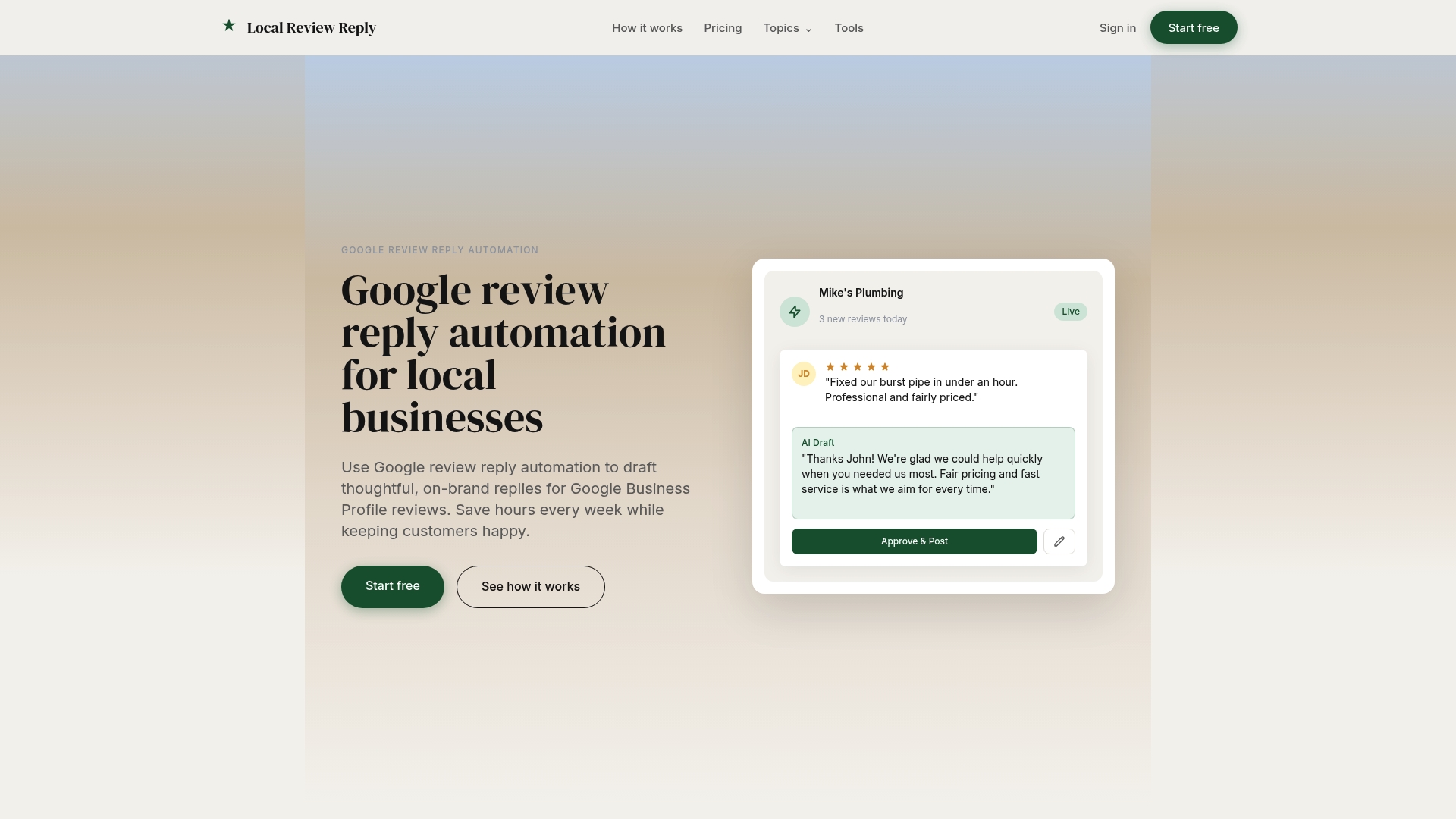
For franchises and multi-location operators, that consistency matters even more: every location can follow the same reply standards without a regional manager rewriting each one by hand. The Google review management software supports multi-location dashboards and team permissions built for exactly this kind of coordinated response. If you want to see how a calm, factual reply reads before committing to a plan, try the free AI review response generator on your next flagged review and start a trial from there.
Sources
- User-contributed content policy — Google
- New ways we're protecting businesses on Maps — Google Blog (Maps product announcement)