
A review reply audit log records who drafted, edited, approved, and published every reply to a Google Business Profile review, with timestamps and review identifiers attached to each step. It gives franchise and multi-location teams the evidence they need for disputes, SLA tracking, and platform compliance. The rest of this guide breaks down the fields to capture, how to build the workflow, and how it lines up with Google's own API data.
TL;DR:
- A comprehensive review reply audit log must include timestamps for all lifecycle events, such as drafts, edits, approvals, and publications, recorded in RFC3339 format.
- It should distinctly log internal roles, AI draft flags, review identifiers, and platform-specific moderation states to prevent confusion between internal workflow and Google's moderation process.
- Automated reply approval gates should be tailored to review severity, requiring manual approval for low-star reviews and flagged content, with clear escalation paths for delays beyond 48 hours.
- Internal logs should be regularly analyzed to identify bottlenecks, differentiate Google moderation delays from workflow issues, and generate operational reports on approval times and rejection reasons.
- Most teams wrongly treat Google's moderation states and internal approval statuses as identical, risking misdiagnosis; separating these clocks enhances dispute resolution and operational oversight.
Table of Contents
- What Fields Belong in a Review Reply Audit Log
- Setting Up Roles, Approval Gates, and SLAs
- Matching Your Log to Google's API Fields and Limits
- Turning the Log Into Operational Reports
- Why We Treat Audit Logs as Non-Negotiable
- The Part Most Teams Get Wrong About Audit Logs
- How Local Review Reply Handles Audit-Log Requirements
- Sources
- FAQ
What Fields Belong in a Review Reply Audit Log
A usable audit log isn't just a timestamp on a published reply. It needs the full lifecycle, recorded in a format someone outside your team could read and understand a year later.
Start with the event timeline. Every reply should generate a record for draft creation, each edit (with a diff showing exactly what changed), submission for approval, the approval or rejection decision, publishing, and deletion if that ever happens. Use RFC3339 timestamps (the "2026-03-12T14:32:00Z" format) so time zones never become a dispute in themselves.
Next comes actor identity. Log who drafted the reply, who edited it, and who approved it, along with their role in your system. If a draft came from an AI tool rather than a person, flag it explicitly. That distinction matters when an approver is trying to decide how much scrutiny a given reply needs, since flagging AI-generated drafts lets reviewers prioritize the ones that actually need a human eye.
Your log should also capture platform-specific fields once a reply goes live: the review ID, reviewReplyState, reviewReplyUrl, any policyViolation details Google returns, and the review's own create and update timestamps. These bridge your internal records with what Google actually sees on its end.
Fields to include in every entry:
- Event type and RFC3339 timestamp
- Actor ID, role, and AI-flag status
- Review ID and location ID
- Approval comments or rejection rationale
- Version history (previous draft text, diff from prior version)
- Platform state fields once published
Approval evidence needs its own space in the record. Comments explaining why a reply was rejected, any escalation notes, and attachments (like a screenshot of a policy warning) should all live in the same entry as the decision itself.
For storage, export logs in CSV or JSON so they're portable for legal hold or franchise audits. Retention length depends on your governance requirements. A practical baseline many operators use is exportable retention for at least a year of operational history, with longer holds for anything tied to an active dispute. Check with counsel before finalizing a retention schedule for your specific situation.
Pro Tip: Store the full reply text at every version, not just the diff. A diff tells you what changed; the full text tells you what a customer actually saw at each point in time, which matters if a dispute hinges on the original wording.
Setting Up Roles, Approval Gates, and SLAs
Most reply backlogs happen because nobody defined who is responsible for what. Fixing that starts with a role model, not a tool.
Four roles cover almost every review-response operation: creators (draft replies), editors (revise drafts), approvers (sign off before publishing), and admins (manage the workflow itself). Each action a role takes should map to a specific log entry. A creator drafting a reply logs a "draft" event; an approver signing off logs an "approval" event with their user ID attached.
Approval gates should scale with risk, not apply uniformly:
- Auto-approve replies to 4 and 5-star reviews that don't trigger content flags.
- Require manual approval for 1 to 3-star reviews, since these carry the most reputational and legal exposure.
- Route any reply flagged for sensitive language (legal threats, health claims, safety complaints) through a second approver regardless of star rating.
Once gates are in place, your audit log becomes the source for SLA measurement. Three metrics matter most: time from review posted to first draft, time a draft spends sitting in the approval queue, and time from approval to actual publish. Track all three separately, because a slow approval queue and a slow drafting process require completely different fixes.
Routing strategy depends on how your locations are structured. Location-based assignment works when each store manager owns their own reviews. Agencies managing client accounts usually need a client-owned queue model, where each client's reviews route to a dedicated approver regardless of which location generated them. Either way, build an escalation path for anything sitting unanswered past 48 hours.
Pro Tip: Batch low-risk approvals into a single daily review session instead of pinging approvers every time a reply comes in. It cuts decision fatigue and keeps your time-in-queue metric predictable.
Anti-backlog tactics that actually hold up at scale: templated starting points for common review types, automated reminders when a draft sits idle more than 24 hours, and a monthly audit of rejected replies to catch recurring problems in how drafts get written. For a deeper look at cutting approval time specifically, see this review response approval workflow breakdown.

Matching Your Log to Google's API Fields and Limits
Your internal audit log and Google's own reply data are two different systems tracking two different things, and conflating them is where most reconciliation errors start.
Google's Business Profile API exposes reviewReply.updateTime, reviewReply.reviewReplyState, policyViolation, and reviewReplyUrl as part of the review object, along with the review's own createTime and updateTime. These fields only reflect Google's moderation state. The REST resource documentation confirms that internal workflow steps like who drafted or approved a reply never appear in this data. Your own log has to carry that part.
The states worth knowing:
- PENDING: Google is still reviewing the reply.
- APPROVED: Google has cleared the reply to appear publicly.
- REJECTED: Google blocked the reply, usually with a
policyViolationreason attached.
Google's support documentation states that replies are typically reviewed within about 10 minutes, though some cases take up to 30 days. That gap matters operationally: if a franchise owner asks why a reply "isn't showing," your log needs to show whether the delay is Google's moderation queue or your own approval backlog sitting unresolved.
Build a reconciliation routine around this. On publish, compare your internal publish timestamp to the reviewReply.updateTime Google returns. If that field is missing or arrives much later than expected, log it as an incident and save the raw API response for dispute evidence.
One more prerequisite: programmatic reply updates require a verified location and the https://www.googleapis.com/auth/business.manage OAuth scope. Without both, your update calls will fail before they ever reach Google's moderation queue.
Turning the Log Into Operational Reports
An audit log that just sits there recording events is only half useful. The real value shows up when you query it for patterns.
Separating Google's moderation delay from your own bottleneck is the first diagnostic move: compare the timestamp your team marked "approved" against the reviewReplyState change and updateTime on Google's side. If your team approved a reply in ten minutes but it took Google three days to go live, that's a Google-side delay, not a workflow failure.
From there, a few reports do most of the operational heavy lifting:
- Pending-approval aging, sorted by location, to find where reviews are stalling.
- Approver throughput, showing how many reviews each approver clears per day.
- Response-time distributions across locations, which often exposes one or two stores dragging down a franchise average.
- A rejection-reasons roll-up, pulled from
policyViolationdata, to catch recurring content problems before they repeat.
Audit logs also double as an early-warning system. Tracking time-in-queue at the location level reveals which approvers or locations are consistently backed up, so you can reallocate before a backlog becomes a pattern. Watch for repeated AI-draft overrides, unusual spikes in edits or deletions, or approval activity from a user who shouldn't have that permission. When policyViolation shows up in the API response, an automated alert should escalate it immediately rather than waiting for someone to notice.
Why We Treat Audit Logs as Non-Negotiable
Franchise disputes rarely start with the review itself. They start with someone asking "who approved this reply, and when," and nobody having a clean answer. That's the gap a traceable log closes.
A log that shows draft time, edit history, approver identity, and publish timestamp turns a "he said, she said" dispute into a two-minute lookup and supports memorable dining experience retention strategies for hospitality businesses. It also gives franchise operators the evidence to show a corporate office that brand voice standards were actually followed, not just assumed.
We've documented the workflow side of this in more detail in our Google review approval workflow post, including how to structure the touchpoints so AI drafts, human edits, and system actions stay distinguishable. If you're setting this up for the first time, start with three things: timestamp every event, flag every AI-assisted draft, and require an approval comment on anything below 4 stars.
The Part Most Teams Get Wrong About Audit Logs
Most operators treat audit logging as a compliance checkbox. That's backwards. The actual value is operational, not defensive.
The conventional advice focuses almost entirely on "record everything for legal protection," which isn't wrong but misses where the log pays for itself day to day. A well-built log tells you which location's approver is the bottleneck before corporate asks why response times slipped. It tells you whether an AI draft is getting overridden constantly, which usually means your brand voice settings need tuning, not that AI drafting is failing. Franchises that only pull the log when something goes wrong are leaving most of its value on the table.
My honest read: the biggest mistake is treating Google's moderation state and your internal approval state as the same thing. They aren't, and conflating them is why so many teams misdiagnose slow replies as their own fault when it's Google's queue, or vice versa. Fix that distinction first. Everything else, the reports, the SLA tracking, the dispute evidence, gets easier once your log actually separates the two clocks running in parallel.
— Ryan
How Local Review Reply Handles Audit-Log Requirements
Local Review Reply is built around the same distinction this article keeps coming back to: automated drafting and human approval are two separate steps, and your records should show both clearly. The platform flags AI-generated drafts so approvers know exactly what they're reviewing, applies approval gates on sensitive and low-star reviews before anything goes public, and keeps a timestamped version history tied to each reply.
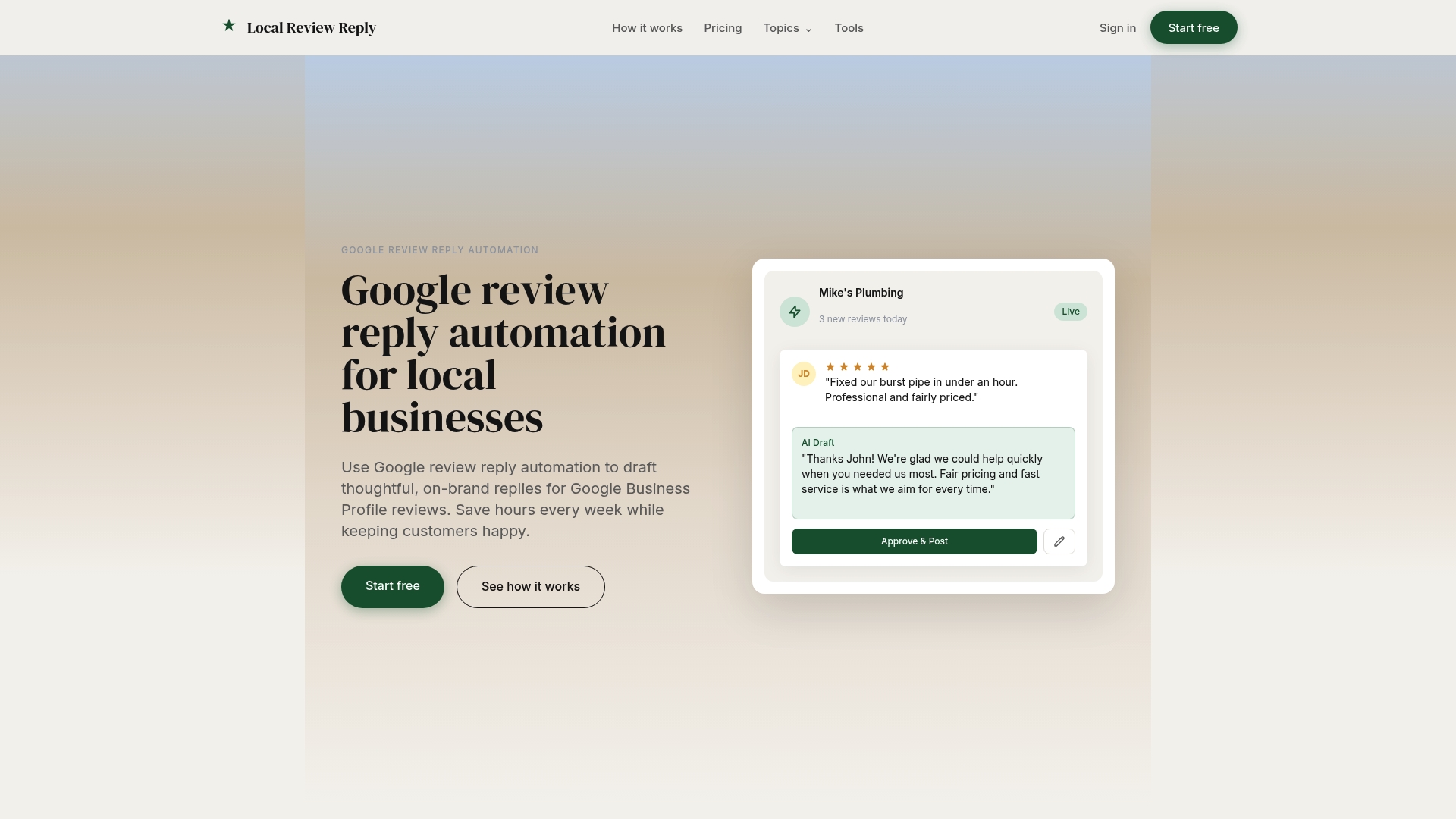
For franchises and agencies managing multiple locations, that means role-based approvals and exportable logs live in one place instead of scattered across spreadsheets and email threads. If you want to see how the approval gates and role permissions work in practice, the features page walks through the setup. Multi-location teams specifically can review how the workflow scales across locations on the franchise and chains page.
A practical first step: configure your approval gates for 1 to 3-star reviews, set a target SLA for time-to-publish, and run a 30-day log review to see where replies are actually stalling. Plans start at $5 AUD per month on the Starter tier, with Growth and Scale tiers unlocking more locations and team management as you grow.
Sources
- Manage customer reviews - Google Business Profile Help
- Reviews data | Google Business Profile APIs | Google for Developers
FAQ
What Is a Review Reply Audit Log?
It's a record showing who drafted, edited, approved, and published a reply to a Google Business Profile review, along with timestamps for each step. It exists separately from Google's own moderation data, which only shows platform-side states like PENDING or APPROVED.
How Long Should We Retain Review Reply Audit Logs?
Retention depends on your franchise's legal and governance requirements, so check with counsel before setting a fixed policy. A common operational baseline is exporting logs in CSV or JSON and keeping at least a year of history readily accessible, with longer retention for anything tied to an active dispute.
Why Does a Reply Show as Pending Longer Than Expected?
Google usually reviews replies within about 10 minutes, though it can take up to 30 days in specific cases. If a reply sits in PENDING far past your internal approval timestamp, that delay is on Google's side, not your team's.
Does Local Review Reply Track Approval History Automatically?
Local Review Reply maintains timestamped version history and flags AI-generated drafts so teams can see who touched each reply and when. Pricing and plan details, including the Starter plan at $5 AUD per month, are listed on the pricing page.
What's the Difference Between Google's Reply States and Internal Approval Status?
Google's reviewReplyState (PENDING, APPROVED, REJECTED) reflects its own content moderation, not whether your team approved the reply internally. A reply can be internally approved and published to Google's system while still sitting in PENDING on Google's side.