
The right approach is a tiered, risk-based approval workflow: route sensitive or low-star reviews to a human approver while letting low-risk, positive replies move through faster. Your first move should be documenting submission requirements and naming a backup approver. Everything else, defined roles, SLAs, and an audit trail, builds from that foundation.
TL;DR:
- Routing should be based on review rating and content, with low-risk reviews auto-approved and high-risk reviews requiring multiple approvers and legal review.
- A short approval chain with clear role permissions and labeled backup approvers prevents delays and maintains oversight.
- Automated systems must log every action, including draft edits, approvals, timestamps, and version history, to ensure an audit trail.
- AI drafting is suitable for low- and medium-risk reviews but must always be supervised by a human approver for sensitive or high-risk responses.
- Regular review of the approval workflow's efficiency and compliance is essential to eliminate unnecessary steps and maintain brand protection.
Table of Contents
- What Is a Review Response Approval Workflow?
- How Do You Set Up an Approval Workflow for Review Responses?
- How Do You Route Approvals Without Creating a Bottleneck?
- What Should Approvers Check Before Signing Off?
- How Should Automation and AI Drafting Fit Into the Workflow?
- How Do You Roll Out and Measure the Workflow?
- What Does This Look Like in Practice?
- Why Governance and Speed Aren't Actually in Tension
- Put the Workflow Into Action With Local Review Reply
- Sources
What Is a Review Response Approval Workflow?
A review response approval workflow is a structured system where someone drafts a reply, at least one person reviews it, and only approved responses get published to Google Business Profile or other platforms. It's the difference between "anyone on staff can reply whenever" and a repeatable process for reviewing and authorizing responses before they go live.
Most small operators skip this until a bad reply goes public. A defensive response to a one-star review, or a factually wrong statement about a refund policy, can do more damage than the original complaint. That's the actual reason this workflow exists: not bureaucracy for its own sake, but a checkpoint that catches mistakes before customers see them.
The term "approval workflow" gets used loosely. Some people mean a rigid, multi-step sign-off chain. Others mean a single manager glancing at a draft before it posts. Both count, as long as the process is documented and consistent. What matters is that the workflow scales with risk, not with headcount.
How Do You Set Up an Approval Workflow for Review Responses?
Start with an intake template. Every draft response entering the queue should carry the same fields: the original review text, the star rating, a customer identifier if one exists, the suggested reply, and a deadline for response. Skipping this step is the single most common cause of stalled approvals, because reviewers end up chasing missing context instead of making decisions.
Keep the approval chain short. More than two approvers for a routine reply creates delays without adding meaningful oversight, and it's one of the more common review response mistakes teams make when they're trying to be thorough.
Assign explicit permissions for each stage:
- Drafting: who can create or generate the initial response
- Suggesting edits: who can revise language without full approval authority
- Approving: who signs off on the final version
- Publishing: who actually posts it live (sometimes automated, sometimes manual)
Standardize your templates by review type so approvers aren't reinventing tone every time. A short checklist, tone check, factual accuracy, brand voice, keeps decisions consistent even when different people are approving on different days. Local Review Reply's approval workflow software builds this intake structure directly into the drafting step, so nothing enters the queue half-formed.
How Do You Route Approvals Without Creating a Bottleneck?
Routing breaks down when nobody documents who does what. Four roles cover almost every setup:
- Requester — the person or system that generates the draft, often the AI drafting tool or a frontline staffer
- Reviewer (optional) — a secondary check for edits or tone, not required for low-risk replies
- Approver — the person with authority to release the response for publishing
- Escalation contact — a named backup who takes over if the approver misses the SLA window
Route by rating and sentiment. A five-star review with a generic compliment can often skip a human check entirely. A three-star review, or any review mentioning refunds, staff conduct, or health and safety, should always land in front of a person. When legal exposure and marketing tone both matter, parallel routing, sending the draft to two approvers simultaneously instead of in sequence, saves real time.
Set measurable SLA windows with automated reminders as the deadline nears. If the approver hasn't acted when the window closes, the system should fall back to the backup contact automatically rather than waiting on someone to notice.
Pro Tip: Put a live dashboard in front of your team showing exactly who holds each pending item. Bottlenecks usually come from unclear routing and invisible queues, not slow employees. Structured approval software can cut cycle time from around 4.7 days to about 1.8 days compared to managing approvals over email or Slack threads.
What Should Approvers Check Before Signing Off?
Not every review deserves the same scrutiny. A useful model sorts responses into three tiers based on risk:
- Low risk: four and five star reviews with no specific complaints. Often auto-approved or fast-tracked with a single glance.
- Medium risk: three-star reviews, or reviews that are vague but not hostile. Needs a human read for tone before publishing.
- High risk: one and two star reviews, or any review mentioning refunds, injuries, discrimination, staff by name, or legal threats. Requires full review and sometimes a second sign-off from legal or ownership.
Treating every review the same way, regardless of risk, is what causes approval paralysis: teams either rubber-stamp everything or slow every reply down to the pace of the riskiest one.
For each tier, approvers should check tone, factual accuracy against what actually happened, any required disclosures (like directing a customer to a private channel for account details), and whether the situation needs legal eyes before anything posts. Response templates and pre-built reply structures speed up medium and low tiers considerably, while high-risk replies should always allow free-text edits.
Whenever an approver rejects a draft or makes a substantive edit, they should leave a short audit note explaining why. That note becomes part of your defensible record if a dispute ever comes up later, and it teaches the requester what to fix next time.
How Should Automation and AI Drafting Fit Into the Workflow?
The architecture is straightforward: a new review comes in, an AI tool generates a draft, the system tags it for routing based on rating and keywords, it either goes to a human approver or gets auto-approved under your rules, then it publishes. Human judgment stays the control point for anything sensitive.
Rating-based conditional logic makes this practical instead of theoretical. Five-star reviews might auto-approve after a brief keyword scan. Four-star reviews might route to a single approver with a short SLA. Three-star reviews always get a human read. One and two-star reviews require full review, and often a second approver for anything mentioning safety, discrimination, or refunds. The human approval step should remain non-negotiable for these categories, even when AI drafting handles the first pass.
Whatever platform you use should log every action automatically, following best practices recommended by Strategy consulting for SEO, Ads & Marketing | West Valley Digital:
- Who edited the draft, and when
- Who approved or rejected it
- Timestamps for each stage
- The ability to roll back to a previous version if something goes wrong post-publish
Publication controls matter just as much as the drafting side. Support manual publish for edge cases, scheduled publish after approval clears, and a staging view where approvers see exactly what will go live before it does. Local Review Reply's how-it-works page walks through how AI drafting and the human approval gate stay separate steps rather than one blended process.
How Do You Roll Out and Measure the Workflow?
Rolling this out works best as a sequence, not a single launch day.
- Document the policy in plain language everyone on the team can follow.
- Set your intake fields and lock them into whatever tool or form you're using.
- Configure routing rules by rating and keyword.
- Assign approvers and name backups for every role.
- Pilot with one location or team before rolling out company-wide.
- Collect feedback from approvers on where the process drags.
- Iterate on the routing rules and SLA windows based on what you learn.
Before going live, confirm the intake form is enforcing required fields, templates exist for each risk tier, SLA and escalation settings are configured, audit logging is switched on, and the team has actually walked through the process once together.
Once running, track five numbers: approval cycle time, first-time approval rate (drafts approved without edits), SLA compliance percentage, how often items escalate to a backup, and how long the visible queue sits on average. Recorded approvals with reviewer notes tied to pending, approved, and rejected status give you the data to answer all five without guesswork. Review the whole setup quarterly and cut any approval stage that isn't earning its place.
What Does This Look Like in Practice?
A franchise operator running review responses across multiple locations faces a specific problem: corporate wants brand consistency, but individual store managers know their own customers and local context best. The workaround that tends to work is keeping AI drafting and human approval strictly separate, so a draft never publishes without a named person signing off, and that person has full location context available when they review it.
The pattern that holds up across multi-location rollouts is simple: fewer approvers, conditional routing by risk, a mandatory backup for every approver, and a recorded sign-off on every decision. Skip any one of those four and the workflow either stalls or stops being defensible.
Local Review Reply's structure reflects this by separating AI-generated drafts from the approval gate itself, and by supporting distinct role assignments across locations so a regional manager and a store-level approver aren't stepping on each other. The transferable lessons hold regardless of what software a business runs: keep the approver count low, route conditionally by risk, require backups, and log every sign-off with a name and timestamp attached, matching the four fields, version, approver, date, and conditions, that make an audit trail defensible.
Why Governance and Speed Aren't Actually in Tension
The instinct to add approval steps every time something goes wrong is understandable and usually wrong. Tiered approval exists precisely to avoid that tax: it protects brand voice on the reviews that carry real risk while getting out of the way on the ones that don't.
Someone needs to own this process, a marketing operations lead or reputation manager, not a rotating cast of whoever's free. That person should run a quarterly audit asking one question: does this approval stage still need to exist? If you're building this out for the first time, pilot it on a single location or team, measure the cycle time and SLA compliance numbers, and expand once you've seen what actually breaks.
— Ryan
Put the Workflow Into Action With Local Review Reply
Local Review Reply gives you what a manual process can't: an AI draft ready in seconds, paired with an approval gate that never lets a sensitive reply publish without a human sign-off. For a franchise or multi-location team, that combination matters more than speed alone, because the drafting happens instantly while the actual publishing decision still sits with a named approver, permission by permission, location by location.
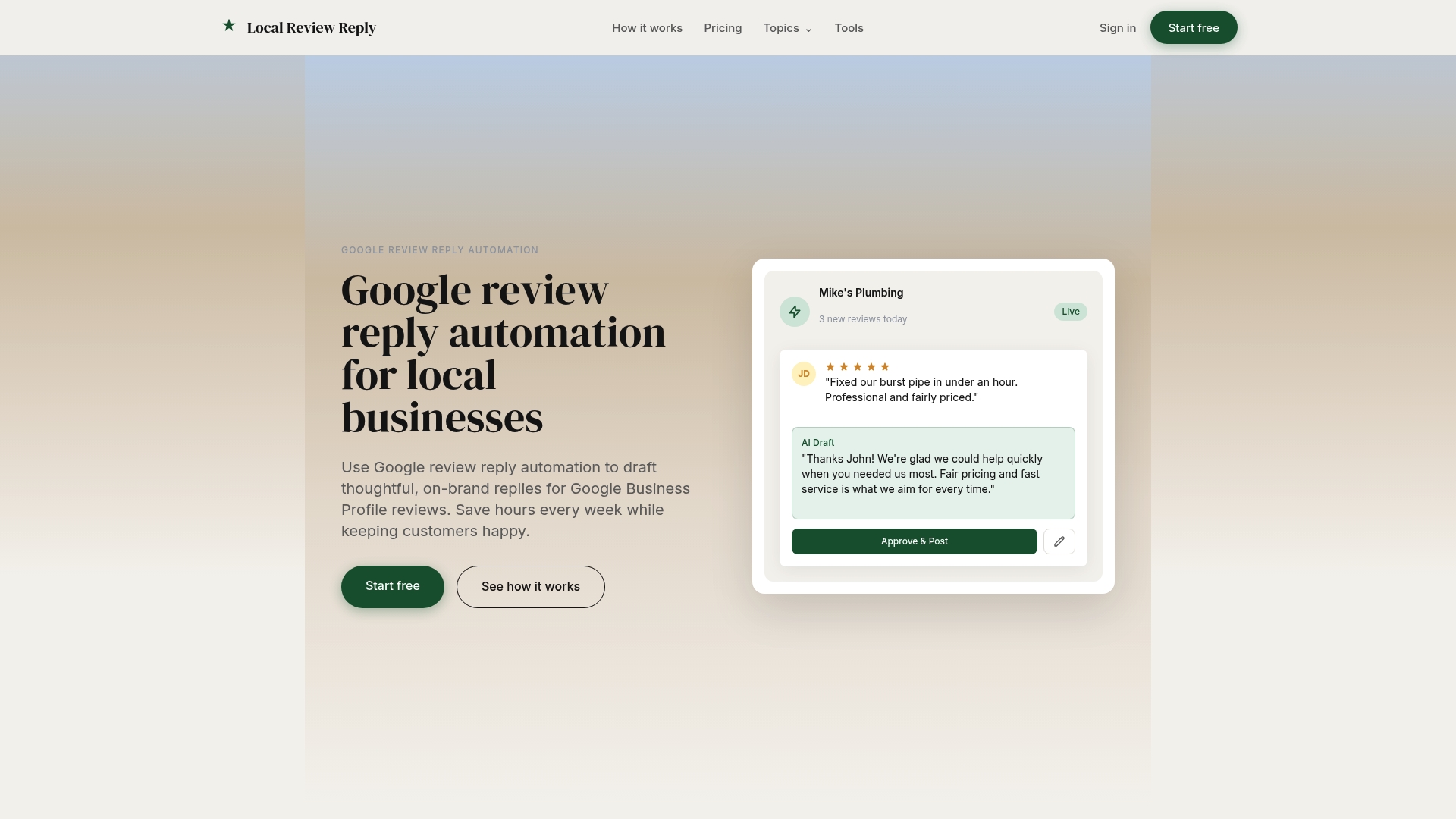
The feature set covers approval controls, multi-location management, and audit trails, the same controls this article walked through, built into one system instead of stitched together across email and spreadsheets. If you want to see the drafting side before committing to anything, the free review response generator lets you test AI-drafted replies while keeping your own approval step intact. When you're ready to roll out a full workflow across locations, check the pricing plans and start a trial to pilot it on one team first.
Sources
- Modern approval workflow: approval workflow components | Velt
- Approval workflow best practices | Teamwork
- Reply approvals | Sprout Social support
- Content approval workflow guide | Cadenus
- Automate Google review responses with AI (with an approval step) | Connex