
A profanity filter for review replies scans the text your business is about to post publicly and flags or blocks offensive language before it goes live. It should never touch the customer's original review. The first move for any multi-location team is simple: turn on a pre-post profanity check and require manual approval for any reply that gets flagged or responds to a one or two-star review. Tools like Local Review Reply build that pre-check-plus-approval pattern directly into the drafting workflow.
TL;DR:
- Profanity filters must check the fully rendered reply after variables are inserted to avoid false positives or missed offensive language.
- Manual review and role-based access are essential for multi-location teams to manage flagged replies and prevent violations that could lead to rejection or suspension.
- Filters are limited by design, often flagging legitimate names, menu items, or contact details, so building a denylist from actual reply history improves accuracy.
- Implementing a 48-hour escalation policy and maintaining clear documentation helps ensure timely responses and reduces legal or platform-related risks.
- Automated drafting tools should be paired with human oversight on flagged or low-star reviews to balance speed, voice diversity, and safety effectively.
Table of Contents
- Why Profanity Controls Matter in Public Review Replies
- How a Profanity Filter Works on Reply Text (and Where It Breaks Down)
- Building the Workflow: Policies, Roles, and Templates
- Testing and Monitoring the Filter Over Time
- Speed, Voice, and Safety: Where the Real Tradeoff Lives
- How Local Review Reply Handles Profanity-Safe Reply Workflows
- Sources
- FAQ
Why Profanity Controls Matter in Public Review Replies
A bad reply does more damage than a bad review. Customers researching a business read owner responses as a signal of how that business treats people when things go wrong, and a sloppy or offensive reply confirms their worst assumptions. Research on managerial responses to online reviews finds that personalized, topic-congruent replies increase perceived trust and can shape whether a prospective customer decides to buy. That only works in your favor when the reply is actually appropriate.
There's a platform risk layer too. Google can reject or suppress replies that violate its policies, and a profanity slip is one of the faster ways to trigger that. For a single location, one rejected reply is a nuisance. For a franchise with 200 locations and a rotating cast of store managers replying at 11 p.m. after a rough shift, it's a systemic exposure.
A few realities make this harder than it looks:
- Untrained staff at the location level often don't know what counts as a policy violation versus a normal, human response.
- Frustration bleeds into replies faster than most owners expect, especially after a string of unfair reviews.
- Filters built on simple pattern matching are context-blind, so they will occasionally flag perfectly clean text and let genuinely rude phrasing slide through if it's spelled creatively.
Anticipating that last point now saves your team from thinking the filter is broken later. It isn't broken. It's limited by design.
How a Profanity Filter Works on Reply Text (and Where It Breaks Down)
A profanity filter for review replies should check the final text, meaning the reply after every variable has been filled in. That includes the reviewer's name, the product or service mentioned, the location name, and any sign-off. A template that reads clean in its raw form can turn into a problem once a reviewer's name or a menu item gets inserted and collides with a blocked term.
Most filters lean on a mix of these mechanics:
- Lexicon matching: a maintained list of blocked words and phrases, checked against the rendered text.
- Normalization: catching intentional misspellings, spacing tricks, and character substitutions people use to dodge simple filters.
- Allow and deny lists: custom rules so your industry's normal vocabulary doesn't get treated like profanity.
- Manual review flags: anything ambiguous gets routed to a human instead of auto-blocked or auto-published.
The limitations matter as much as the mechanics. Filters don't understand sarcasm, sincerity, or intent. A teardown of over 12,000 rejected replies found Google's own rejection filter routinely flags legitimate business names, reviewer names, and menu items as violations, alongside triggers like phone numbers, hashtags, and near-duplicate text. Your internal profanity filter faces the same context-blindness, just aimed at a narrower target.
Pro Tip: Build your denylist from your own reply history first, not a generic word list you found online. A generic list flags your local dish names and slang all day and misses the phrasing your actual customers use.
Building the Workflow: Policies, Roles, and Templates
A filter alone doesn't protect your brand. It needs a workflow wrapped around it. Here's the sequence worth putting in writing.
- Restrict who can publish. Only trained staff should have reply access. Franchise playbooks consistently recommend role-based access and written response guidelines as baseline controls for multi-location brands, and it's one of the cheapest risk reductions available.
- Require GBP training before publish rights. Someone who doesn't know what triggers a suspension shouldn't have the button that can cause one.
- Set up tiered approval. Safe, positive reviews can auto-approve. Anything flagged by the profanity check, or any one to two-star review, should route to a manual queue. Genuinely serious incidents (threats, legal language, safety claims) escalate straight to a brand or legal contact.
- Design templates with variable slots, not fixed sentences. Templates that never change read as robotic, and research on review-response dynamics shows response diversity influences how reviewers write and re-engage. Avoid publishing the exact same wording across ten reviews in the same week.
- Run the pre-check on the fully rendered text. Scan after variables are inserted, not before, and check the result against your allowlist so legitimate terms don't get stuck in review for no reason. Guidance on reducing reply rejection risk points to this exact step as one of the highest-value fixes.
- Document your escalation timeline. A documented 48-hour response flow for profanity cases gives every location a clear deadline and keeps legal exposure from lingering unresolved.
- Log everything and surface reply state. Your team needs to see whether a reply published, got blocked, or is sitting in a queue, since Google can silently block replies without a clear notification.
Pro Tip: Treat your escalation timeline like an SLA, not a suggestion. A rule with no deadline attached gets ignored the first busy week.
Testing and Monitoring the Filter Over Time
Set a filter and forget it, and you'll find out it's stale the hard way. Build a small test corpus from sanitized historical replies and run it through your rules before rolling out any change, so you can see what gets flagged, what slips through, and what gets wrongly blocked.
Track a handful of numbers on a recurring basis:
- Volume of blocked or rejected replies, and how that number moves week to week.
- False positive rate, meaning clean replies the filter wrongly flagged.
- Manual review turnaround time, since a queue that backs up defeats the purpose of speed.
- Overall publishing rate across locations.
Watch for spikes. A sudden jump in blocked replies at one location often means a new staff member, a new local slang term, or a targeted wave of hostile reviews, not a filter malfunction. Schedule a periodic audit, at minimum quarterly, and update your allowlist, denylist, and templates using feedback from the locations actually using them. A denylist built once in the home office and never touched again drifts out of sync with how real customers and real staff actually talk.
Speed, Voice, and Safety: Where the Real Tradeoff Lives
Every operator eventually hits the same tension. Tighten the filter and require review on almost everything, and replies slow to a crawl. Loosen it to keep pace, and something eventually gets published that shouldn't have. Neither extreme is the answer.
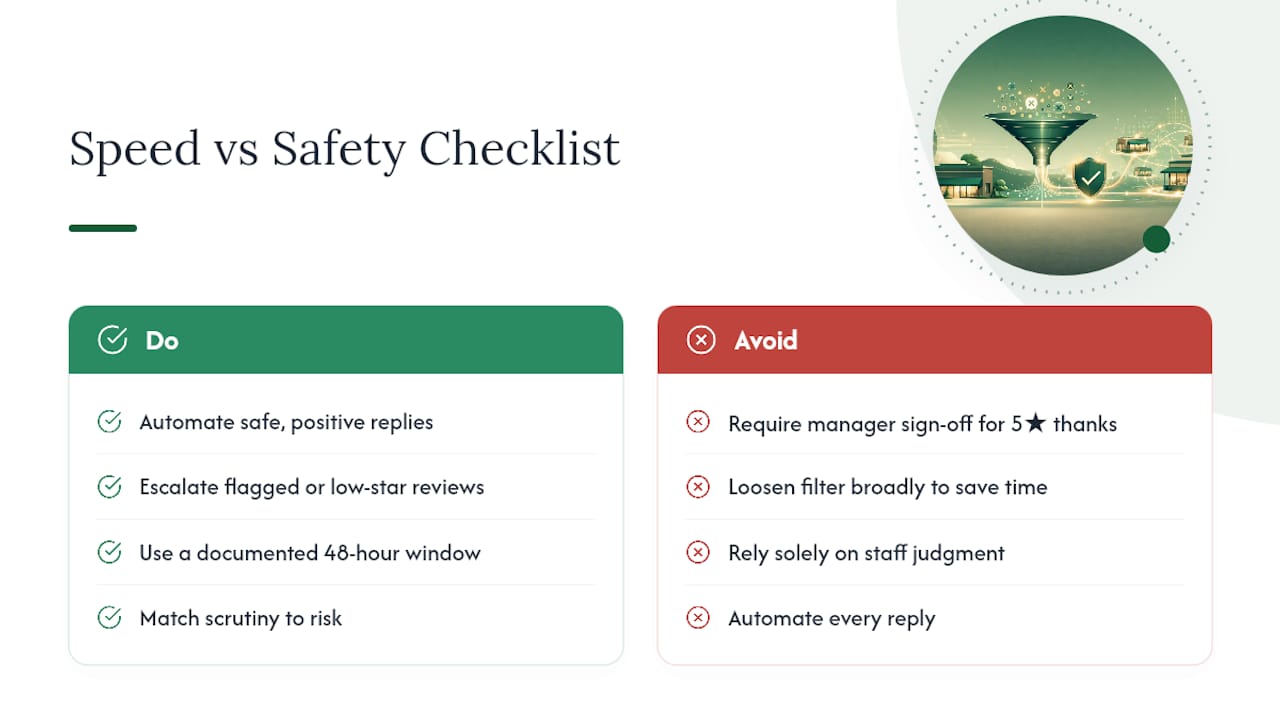
The rule of thumb that actually holds up: automate the safe, positive replies and reserve human eyes for anything flagged or low-star. That's not a compromise, it's just matching the level of scrutiny to the level of risk. A five-star review thanking your team for fast service doesn't need a manager's sign-off. A one-star review with a swipe at a specific employee absolutely does.
Speed still matters, which is why a documented 48-hour response window works better than an open-ended "get to it when you can" policy. Franchises that skip the workflow layer and rely purely on staff judgment tend to discover their gaps only after something has already gone live. Firms exploring AI workflow automation in service businesses generally find the same pattern: automation earns its keep on the routine cases, and the judgment calls still need a person.
— Ryan
How Local Review Reply Handles Profanity-Safe Reply Workflows
Local Review Reply is built around the exact workflow this guide describes: AI drafts a personalized, on-brand reply in seconds, and sensitive or low-star reviews route to manual approval before anything posts.

The platform supports role controls so that only approved team members can publish, and template tools are designed to avoid the flat, repetitive replies that make franchises look automated instead of attentive. You can see how the approval workflow, role permissions, and templates fit together on the features page, or try drafting a sample reply with the free review response generator before committing to anything. Plans run from a Free tier through Starter, Growth, and Scale, with a Custom option for larger operators. Details on each tier are on the pricing page. If your team is juggling replies across a dozen locations right now with no approval layer at all, that's the place to start.
Sources
- INFORMS article on managerial responses and review effects
- Hung et al., 2025 study on review-response dynamics
- Google Business Profile for Franchises and Multi-Location Businesses: The Complete Playbook
FAQ
What is a profanity filter for review replies?
It's a system that checks the text your business is about to post as a reply to a customer review, and flags or blocks offensive language before it publishes. It works on your outgoing reply only, not on the customer's original review.
Does a profanity filter also catch reviewer names or product names?
A properly configured filter checks the fully rendered reply, meaning after variables like the reviewer's name or a product name are inserted into the template. That's also where most false positives happen, since names and menu items can accidentally match blocked terms.
Can Google reject a reply even if it has no profanity?
Yes. Google's reply filter also blocks replies for reasons like contact details, hashtags, and near-duplicate text, unrelated to profanity entirely. That's why teams need visibility into reply state, not just a profanity check.
How much does Local Review Reply cost?
Local Review Reply offers multiple subscription plans with tiered pricing and a Custom option available for larger operators. Full plan details are on the pricing page.
Should every flagged reply go to manual review?
Yes, along with every reply to a one or two-star review, regardless of whether the filter flagged it. Routine positive replies can auto-approve, but anything sensitive deserves a human check before it goes live.