
Frontline staff should handle quick thank-yous, location managers should own minor complaints, and anything involving legal risk or a one-star rating belongs with operations or leadership. The rule is simple: match review type to role, then set a response deadline for each. Google Business Profile permissions and an approval gate keep this workable at scale, and drafting tools powered by AI can speed the writing without removing human sign-off.
TL;DR:
- Set same day deadlines for positive reviews and questions, allow 24–48 hours for minor complaints, and escalate policy violations immediately.
- Route safety or legal threats to a named person within two hours, and require approval for reviews below two stars or involving privacy concerns.
- Verify each Google Business Profile before replying; managers can answer reviews, but owners control access, and former employees’ published replies remain visible.
- Train new team members for about an hour by practicing real review scenarios; sample published replies weekly during the first month, then refresh templates quarterly.
Table of Contents
- Which Roles Should Handle Which Review Types
- Setting Up a Routing and Assignment Workflow
- Templates and Tone for Common Review Situations
- Permissions and Tools Needed to Assign Replies at Scale
- Training Your Team and Setting Approval Gates
- A Copyable Role-by-Review-Type Assignment Matrix
- What Delegation Gets Wrong
- How Local Review Reply Supports Your Assignment Workflow
- FAQ
- Sources
Which Roles Should Handle Which Review Types
Most teams only need four or five roles to cover the full range of reviews that come in. The trick is assigning review types to roles before the reviews arrive, not deciding case by case.
- Frontline staff handle positive and thank-you reviews, since they know the customer and can personalize a quick reply.
- Location managers take informational questions and minor service complaints, the kind that need local context but not corporate involvement.
- Operations or regional managers own major complaints, repeat issues, and anything that touches multiple locations.
- Marketing or brand leads review tone consistency across locations and step in for high-visibility accounts.
- Legal or customer success handle policy-violating content, threats, or anything with privacy or liability exposure.
A workable SLA structure assigns same-day replies to positive and informational reviews, 24 to 48 hours for minor complaints, and immediate escalation for anything flagged as policy-violating. Whoever escalates a review should stay the owner of that thread until it closes, so nothing falls through a handoff.
Setting Up a Routing and Assignment Workflow
A repeatable workflow turns review response from a scramble into a routine. Here's the sequence that holds up across multiple locations:
- Triage first. Sort incoming reviews by urgency and sentiment before anyone drafts a word. Star rating and a few keyword flags (refund, unsafe, lawsuit) do most of the sorting automatically.
- Route by rule or by hand. Automated routing works for high-volume accounts: star rating and keyword triggers send reviews to the right inbox or ticket queue. Smaller teams can assign manually each morning.
- Draft with the right owner. Frontline staff or a drafting tool produces the first pass; for sensitive or low-star reviews, a manager drafts or edits before anything goes out.
- Approve before publishing. Low-star, legal-risk, or brand-sensitive replies need a second set of eyes. Everything else can post directly.
- Verify and track. Confirm the reply actually posted, since Google reviews replies for policy compliance and posting can take longer than expected. Note whether the reviewer updates their rating afterward.
Pro Tip: Set a two-hour SLA for anything mentioning safety or legal threats, and route it straight to a named person, not a shared queue, so it can't sit unseen.
Escalation triggers should be written down in advance: a repeat complainer, a mention of a competitor by name, or language suggesting legal action all warrant an automatic bump to the next role up. Our practical playbook for responding to Google reviews walks through the drafting and posting steps in more detail.

Templates and Tone for Common Review Situations
Consistent tone matters more than clever phrasing. Keep replies short, avoid anything promotional, and never share a customer's personal details in a public reply. Google's own guidance recommends professional, polite, personalized replies that stay brief and skip the sales pitch.
- Positive review: Thank the reviewer by name, mention one specific detail from their comment, and keep it under three sentences.
- Informational question: Answer directly, then offer a phone number or booking link if more detail is needed.
- Low-star apology: Acknowledge the issue without excuses, state what you're doing about it, and invite the reviewer to continue the conversation offline.
A short, prompt reply often matters more to a frustrated reviewer than a perfectly worded one, since Google recommends responding promptly as part of good review management.
When asking someone to move offline, keep it privacy-safe: "We'd like to make this right, could you reach us at [contact method] so we can look into your order?" never restates account numbers or personal details in the public reply. Our review response guidelines cover tone rules in more depth.
Permissions and Tools Needed to Assign Replies at Scale
Before anyone can reply, the account itself needs the right setup. Google Business Profile distinguishes owners from managers: managers can reply to reviews and handle day-to-day tasks, while owners control who has access and manage higher-level settings like adding or removing users.
A few setup details catch teams off guard:
- Your profile must be verified before you can reply to any review, a requirement Google states directly.
- Replies posted by a former employee or manager stay on the profile even after their access is removed.
- Multi-location teams benefit from location groups or labels that let one person manage replies across several profiles without separate logins.
- A shared inbox or ticketing setup, paired with AI drafting and an approval step, lets a small team cover a large review volume without missing deadlines.
Training Your Team and Setting Approval Gates
A short onboarding session beats a long manual nobody reads. Budget about an hour: walk through the assignment matrix, role-play two or three real review scenarios, and point new team members to a shared template library.
- Require manager or legal sign-off on anything under two stars, anything mentioning a threat, or anything with a privacy concern.
- Review a sample of published replies weekly during the first month to catch tone drift early.
- Refresh templates quarterly so they don't start sounding stale or disconnected from what customers are actually saying.
Pro Tip: Keep a running list of phrases that got flagged in QA reviews, since repeat mistakes usually come from the same two or three habits.
AI drafting speeds up the writing step, but sensitive cases still need a human to read before anything posts. Our review response training guide and 46-hour response flow for handling profanity both walk through building this kind of approval gate.
A Copyable Role-by-Review-Type Assignment Matrix
Copy this matrix into a shared document and adjust the SLA column to match your team's capacity.
| Role | Positive review | Question | Minor complaint | Major complaint | Policy-violating |
|---|---|---|---|---|---|
| Frontline staff | Drafts and posts | Drafts and posts | Drafts, manager reviews | Escalates | Escalates |
| Location manager | Spot-checks | Drafts and posts | Drafts and posts | Drafts, ops approves | Escalates |
| Operations | Not involved | Not involved | Spot-checks | Drafts and posts | Escalates |
| Marketing/brand | Audits tone monthly | Not involved | Not involved | Reviews tone | Not involved |
| Legal/customer success | Not involved | Not involved | Not involved | Advises if needed | Drafts and posts |
Adjust the SLA for each cell based on your volume: a single-location shop might allow 48 hours everywhere except policy violations, while an agency managing dozens of profiles usually needs same-day turnaround across every column.
What Delegation Gets Wrong
Most teams either centralize everything with one overworked manager or hand out full autonomy and lose brand consistency. The better trade-off is quick acknowledgment from whoever's closest to the customer, paired with a resolution path that routes up when it matters.
Track response time and whether reviewers update their rating after a reply, not just reply volume. Audit your template library every quarter, because stale phrasing is the fastest way to make an apology sound insincere.
— Ryan
How Local Review Reply Supports Your Assignment Workflow
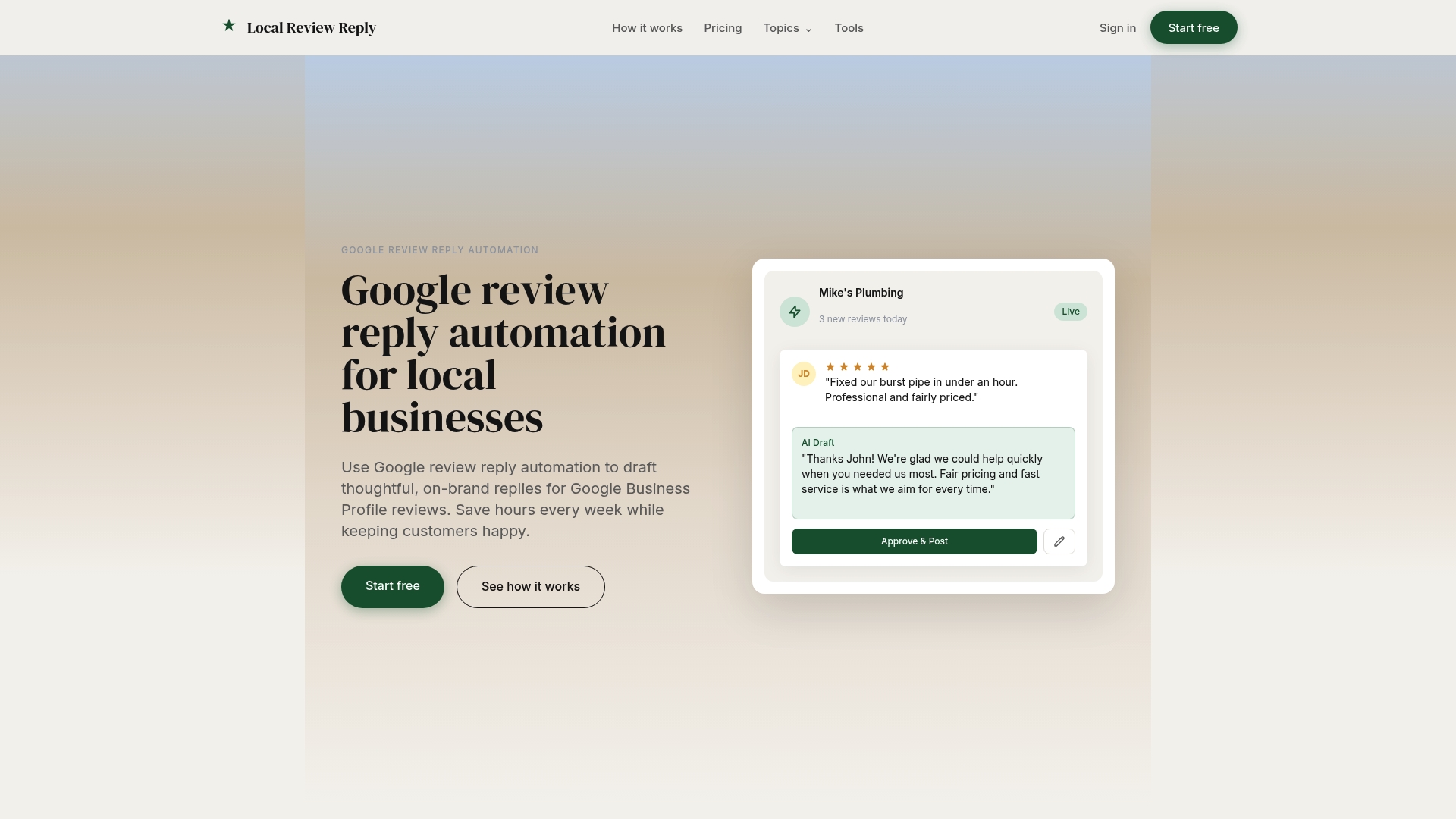
Some AI review reply tools draft personalized, on-brand replies for each review, and sensitive or low-star reviews route through an approval step before anything goes live. That means your frontline team moves faster on the easy replies while a manager still signs off on the ones that carry risk.
- Browse our template library to stock your assignment matrix with starter language for every review type.
- Check plan pricing to find the tier that fits your location count, from Starter at $5 AUD per month up to Scale at $49 AUD per month, with Custom pricing available on request.
- Compare approaches in our Local Review Reply vs Podium breakdown if you're weighing tools for a multi-location team.
FAQ
What is an example of a positive response to a customer?
A good reply thanks the reviewer by name, references a specific detail from their comment, and stays under three sentences. For example: "Thanks for the kind words, John, we're glad the team could get your order out so quickly."
How to respond to peer review comments?
This typically applies to academic or professional peer review, not customer reviews, so the process differs: respond point by point, acknowledge valid criticism, and explain any disagreement with evidence. For customer review replies, the shorter and more personal approach covered above works better.
How to initiate a review?
Google's guidance on getting more reviews recommends asking satisfied customers directly, sharing a direct link to your review page, and making the request at a natural moment like after a completed service. Timing the ask right after a positive interaction tends to get a better response than a generic follow-up email weeks later.
How to write a positive review?
A strong positive review mentions a specific detail about the product or service, notes who helped and how, and stays genuine rather than overly promotional. Businesses asking customers for reviews can share this kind of structure as a light guide without scripting the exact words.