
Run every location's reviews through one centralized feed, either the Google Business Profile API or a reputation platform, and govern replies with a single policy. Start with three moves: centralize review intake, give teams approved templates with a short list of local tokens such as location name and staff name, and require human approval before any low-star or sensitive reply goes live.
TL;DR:
- Google’s API retrieves reviews only for verified locations, caps each batch at 50 locations, and requires pagination plus OAuth 2.0 credentials.
- Start with 24 hours for positive reviews, 48 for neutral reviews, and 24 to 72 for negative reviews, adjusting targets to staffing and volume.
- Route reviews alleging injury, discrimination, legal action, or safety concerns to a senior approver, and keep customer details and compensation offers out of public replies.
- Track response coverage, median first reply time, open escalations, and recurring sentiment themes; reviews inform local ranking but do not guarantee higher placement.
Table of Contents
- How should you centralize multi location Google reviews?
- How do you design workflows, roles and SLAs for review replies?
- How do you keep replies consistent and still local?
- How should you handle low-star and sensitive reviews?
- Which analytics and reports matter across locations?
- What do the Google Business Profile APIs require for implementation?
- What does a successful multi-location rollout look like?
- How do you train and onboard teams for review replies?
- What legal and compliance issues come up with multi-location reviews?
- How do you encourage reviews across multiple locations?
- Author perspective: where pilots and rollouts go wrong
- How Local Review Reply supports multi-location teams
- FAQ
- Sources
How should you centralize multi location Google reviews?
You have three realistic ways to pull reviews from many locations into one place. The right one depends on how many locations you run, how much engineering time you have, and how strict your approval rules are.
The API route. Google's batchGetReviews method returns reviews for several locations in one request. It works only for verified locations, accepts up to 50 location names per call, and lets you set a page size, a page token, an ordering option and a switch to ignore rating-only reviews. Each result carries the location's name alongside the review, so you can sort by site without extra lookups. Google's review data documentation adds that you can also list reviews, fetch a single review, reply to a review and delete a reply, all behind OAuth 2.0 credentials and enabled services.
The platform route. A reputation platform handles the connection, queues, roles and reporting for you. You trade some flexibility for speed: you can usually be live faster than with a custom build.
The manual route. Spreadsheets, email alerts and a shared login still work for a handful of sites. They stop working when volume grows or when several people touch replies.
Here is how the choice usually plays out:
- Self-build on the API: you control data models, routing and storage, and you pay in engineering hours, maintenance and on-call time. It fits teams with developers who want reviews inside an internal system.
- Platform: you get ready-made queues, approvals and dashboards. It fits operators who want results without a build project, and agencies serving several clients.
- Manual aggregation: the cheapest to start, the slowest to scale. It fits a small group of locations with a single owner doing the replies.
Before you decide, answer four questions:
- How many locations do you have today, and how many in twelve months?
- Roughly how many reviews arrive per location each month?
- Do you have an engineer who can own an integration, including token refresh and error handling?
- Do some replies need sign-off from a manager, legal or a regional lead before posting?
If you have many locations, no spare engineering and real approval requirements, a platform wins on speed. If you have developers and want reviews flowing into your own tools, the API is a sound foundation. If you have a small number of sites and one marketer, a disciplined spreadsheet can carry you for a while, but set a trigger now for when you will move off it.
One more point: whichever route you pick, the review feed is only the first step. The value comes from what you do after intake, which is the next several sections.
How do you design workflows, roles and SLAs for review replies?
A feed without ownership just creates a bigger pile of unanswered reviews. You need clear roles, clear routing and a response clock that people can actually meet.
Split responsibility into three layers:
- Central operations owns the policy, the template library, the tooling, the reporting and the escalation rules.
- Regional managers own the tone for their area, approve sensitive replies and spot patterns across their sites.
- Local staff supply facts: what happened, who was on shift, what was offered to the customer. They usually should not write public replies from scratch.
A workable reply flow looks like this:
- A new review lands in the central feed and is tagged with location, star rating and any sensitive keywords.
- The system routes it by location, tag, sentiment or severity to the right queue.
- A drafter prepares a reply from an approved template and adds allowed local details.
- Positive and neutral replies that follow policy go out under the standing approval rule. Anything flagged goes to a reviewer first.
- The reply is posted, logged and counted against the SLA clock.
- Recurring issues are summarized weekly and sent back to location managers.
For response targets, a sensible starting point is 24 hours for positive reviews, 48 hours for neutral ones, and 24 to 72 hours for negative reviews depending on severity. Treat these as a starting draft, not a standard. Your own staffing and review volume should adjust them, and the point is to pick numbers you will measure. Google itself says that replying to reviews shows you value feedback and can help your business stand out, which is a good reason to treat speed and consistency as operating goals rather than nice-to-haves.
Decide in advance which replies need sign-off. A common rule: low-star reviews, anything mentioning injury, discrimination, legal action, health or safety, or any named employee, goes to a human approver before posting. High-star reviews that follow the template can be posted by the drafter. Write the rule down so nobody has to guess when a review arrives.
Pro Tip: Give every queue an owner and a backup name. Most missed SLAs come from a reviewer being out sick or on vacation, not from a bad process.
For franchise networks that want to space replies out rather than posting in bursts, our guide on scheduling replies with a split path walks through one approach.

How do you keep replies consistent and still local?
The goal is replies that sound like one brand and still read as if someone at that location wrote them. That takes structure, not a longer style guide.
Build your library in three layers:
- Base templates hold the core message for each situation: thank you, apology plus remedy, clarification, follow-up after resolution.
- Modular inserts are short, approved building blocks such as an opening line, an invitation to contact the location, or a closing line. Swap them in and out to avoid sounding identical.
- Variant pools give drafters a range of approved wordings for the same idea, so many high-star replies do not look copy-pasted.
Decide which details can be personalized and which cannot:
- Allowed tokens: location name, neighborhood, a manager's first name, a general service type, and a general reference to what the reviewer praised.
- Forbidden details: full customer names beyond what the reviewer wrote, order or account numbers, appointment times that identify a person, medical or financial specifics, staff disciplinary information, and anything that confirms or denies that the reviewer was a customer in a sensitive context.
Version control matters more than people expect. Keep one owner for the library, date every change, and retire old versions so a regional team does not keep using a phrase that was pulled. Maintain an approved phrase list and a short banned list, for example promises of refunds or outcomes you cannot guarantee.
Sample template categories to build first:
- Thank you: short, warm, names the location and one detail the reviewer mentioned.
- Apology plus remedy: acknowledges the problem, avoids arguing the facts, invites contact through a named channel.
- Clarification: corrects a factual misunderstanding politely without blaming the reviewer.
- Follow-up: a later public note once the issue is resolved offline.
If you serve communities that speak more than one language, allow replies in the reviewer's language where your team can write it well. A bilingual profile is part of local relevance, and this guide to optimizing a Google Business Profile in Spanish shows what that looks like on the profile side.
Pro Tip: Review your templates every quarter against real replies. If a base template is edited heavily in practice, the template is wrong, not the drafter.
You can see ready-made patterns on our templates page, and our review response guidelines cover phrases to avoid in public replies. For copying and adapting replies at scale, see our piece on Google Maps review replies across franchise locations.
How should you handle low-star and sensitive reviews?
Low-star reviews are where consistency matters most and where an automated or rushed reply does the most damage. Treat them as a separate lane with a human at the gate.
Classify first. A simple three-level scheme is enough:
- Routine: a complaint about wait time, price or an ordinary service miss. A trained drafter can prepare the reply, and a reviewer approves it.
- Serious: repeated issues, a named employee, a claim of unsafe or unfair treatment, or a reviewer who says they will take further action. Regional or central review is required.
- Critical: injury, harassment, discrimination, legal threats, suspected fake or defamatory content, or press interest. Escalate immediately to a named senior owner, and consider involving legal counsel before any public words.
A workable approval and remediation flow:
- Flag the review automatically by rating and keyword, and let any team member flag one by hand.
- Hold the draft in an unpublished state. No reply for serious or critical posts until a named approver signs off.
- Contact the customer offline through the channel the location can verify, and record what was offered.
- Post a short public reply that acknowledges the concern, avoids detail, and points to the offline contact.
- If the issue is resolved, add a brief public follow-up in neutral language, only with the customer's evident goodwill and never implying they changed their mind.
- Log the case, the outcome and any template or training change it prompted.
Keep public replies calm and brief. Never argue the facts, never reveal private details, and never offer compensation in public that you would not offer everyone. If you think a review breaks Google's content rules, report it through Google's own process rather than replying with accusations.
Closing the loop is what separates a reply process from a reputation process. Feed resolved cases back into your templates, add the recurring causes to the weekly summary, and track how many escalations were resolved offline. For more wording ideas, our practical playbook for responding to Google reviews has examples you can adapt.
Which analytics and reports matter across locations?
Once replies are flowing, you need a way to see which locations are healthy and which need attention. Resist the urge to track everything. A short, stable set of measures beats a wall of charts nobody reads.
Location-level metrics:
- Average star rating, and its change over the last quarter
- Review volume per month
- Median time to first reply
- Resolved rate for escalated reviews
Enterprise-level metrics:
- Rating distribution over time, to see whether one-star reviews are rising or falling
- Sentiment themes, such as wait time, staff attitude, cleanliness or pricing
- Response coverage: the share of reviews that received a reply
Build three views for three audiences:
- Executive snapshot: network average rating, response coverage, count of open escalations, and the locations furthest above and below target.
- Ops drilldown: queue depth, SLA misses by location and by reviewer, escalation aging and template usage.
- Marketing promotion feed: recent strong reviews that can be featured, with permission and checks, on web pages and social channels.
Tie alerts to the SLAs you set earlier. For example, alert a regional manager when a review is nearing its SLA, when a location receives a cluster of negative reviews in a short window, or when a Level 3 item is open. Alerts should name an owner, not just a channel.
A reminder about what this data can and cannot show: reviews are one input into how Google ranks local results. Google lists relevance, distance and prominence as the factors behind local results, and says reviews and positive ratings can help local ranking. Treat that as a reason to track reviews well, not as a promise that a given rating will lift a given location.
Statistic to anchor your reporting: Google states that local results are based mainly on relevance, distance and prominence, so review metrics belong alongside profile completeness in your dashboards, not in place of them.
Review the dashboards in a short weekly meeting. Ask these questions per location: is response time within SLA, and is any theme repeating? Those two answers drive most of the decisions you will make.
What do the Google Business Profile APIs require for implementation?
If your team builds the pipeline, the details below are what you need to plan around. They come straight from Google's documentation, so check the reference pages for current behavior before you commit to a design.
- Batch retrieval: accounts.locations.batchGetReviews returns a paginated list of reviews for specified, verified locations. A single call is limited to 50 location names, and the response includes locationReviews and a nextPageToken, with each entry carrying the location name and the review object.
- Request options: the request body accepts location names, a page size, a page token, an ordering option and a flag to ignore rating-only reviews. Pick the ordering that fits your use case, for example newest first for a reply queue.
- Authentication: Google's review data guide says you need OAuth 2.0 credentials and enabled services, and the same setup covers listing reviews, getting a specific review, replying and deleting a reply. Request only the scopes you need, and store tokens securely.
- Pagination: always handle the next page token until it is empty. A missed page means a missed review.
- Batching strategy: with hundreds of locations, split them into groups of up to 50 and run groups on a schedule rather than all at once.
- Polling versus push: plan around scheduled polling for retrieval, since your design should not depend on a push mechanism unless the current documentation describes one. Deduplicate by review ID so repeated polls do not create duplicate tasks.
- Replies: post replies through the documented reply function, keep the posted text in your own store, and log who approved it.
If engineering capacity is limited, a low-code workflow tool or a reputation platform can give you the same feed and approvals without a custom build. Whichever way you go, write down how a failed fetch, an expired token or a rate-limit error is detected and who gets paged.
What does a successful multi-location rollout look like?
We will not invent results. What we can describe is the pattern that operators who handle many sites well tend to follow, built from the sections above.
A franchise network with uneven replies. The starting problem is usually the same: some locations answer within a day, others never answer, and the tone varies from warm to defensive. The fix is rarely a bigger team. It is a shared template library, a posted SLA and a single queue where regional managers can see what is overdue. Early wins come from covering the unanswered backlog of positive reviews, because it is low risk and quickly lifts response coverage.
A service company with a few problem locations. Here the dashboard does the work. When ops drilldown views show some sites with slow replies and repeated complaints about the same issue, the response is operational: coach the managers, fix the process behind the complaint, and post a resolution note once the change is real. The reply process exposes the problem, and the operation has to fix it.
An agency managing many small clients. The agency keeps one approved voice document per client, a shared escalation rule and a weekly summary for each owner. Approval controls protect the agency from posting something a client would not stand behind.
Across all three, the common move is the same: a central feed, a short policy, human approval for risky replies, and reporting that feeds back into training. If you want to understand how platforms compare on these needs, see our comparison with Podium.
How do you train and onboard teams for review replies?
Most reply mistakes come from people who were handed a login and a template folder and told to get going. A short, repeatable onboarding closes that gap.
Cover these topics in the first week:
- Why replies matter. Show a few real examples of good and poor replies, with identifying details removed.
- The policy. Walk through allowed tokens, forbidden details, banned phrases and the three severity levels.
- The tools. Practice in a sandbox or a low-risk queue before touching live reviews.
- Escalation. Make sure every trainee can name who they escalate to for Level 2 and Level 3 items, and how to reach them out of hours.
Use drills, not lectures. Give trainees mock reviews, ask them to draft replies, then compare against an approved answer set. Repeat with harder cases, such as a review that mixes a fair complaint with an unfair claim.
Set a supervised period. At first, have a reviewer approve every reply from a new drafter, then loosen to sampling once quality is steady. Share a regular scorecard: SLA hit rate, edits needed per reply and escalations handled correctly.
Keep training live. When a template changes or a new risk appears, send a one-paragraph update and add it to the onboarding pack. Finally, give local staff a simple way to feed facts into the process, such as a short form with what happened and what was offered, so replies stay accurate without asking them to write public copy.
What legal and compliance issues come up with multi-location reviews?
We are an operations team, not a law firm, so treat this section as a checklist of questions to take to your own counsel rather than legal advice.
Privacy. Public replies are visible to everyone. Do not confirm that someone was a customer, patient or client unless the reviewer already said so and your counsel agrees it is safe. Never include order numbers, health details, financial details or contact information in a public reply. If your industry has specific privacy obligations, such as healthcare or financial services, apply the stricter rule to every location.
Defamation and false reviews. A harsh review is not automatically defamatory, and a public argument rarely helps. If you believe a review is fake or violates Google's content policies, use Google's reporting tools and keep a record of what you submitted. Escalate to legal before threatening action or posting accusations.
Incentives and disclosure. Rules about offering rewards for reviews, or filtering who you ask, vary by platform and by jurisdiction. Check Google's current review policies and consult counsel before running any incentive program.
Records. Keep a log of escalated reviews, approvals and what was said, so you can show your process if a dispute arises.
Franchise structure. If franchisees are separate legal entities, decide who is responsible for replies and who approves them, and put that in your agreements.
Profile hygiene. Reviews belong to a profile, so avoid creating duplicate profiles when a location changes. Google advises against creating a new profile because of a change in location or ownership and explains how reviews move across profiles, including cases where some categories may not transfer automatically.
How do you encourage reviews across multiple locations?
More reviews help only if you also keep up with replying, so grow volume at a pace your queue can handle. Then make asking easy and consistent.
- Ask at the right moment. The best time is right after a good experience: after a completed job, a finished visit or a positive conversation. Train staff to ask in person, and follow with a short message that includes a direct link to the location's review page.
- Give every location its own link. A generic link sends reviewers to the wrong profile and muddles your data. Keep a tracked list of links by location and refresh it when profiles change.
- Make it a routine, not a campaign. Add the ask to the end of your normal customer flow: receipts, invoices, follow-up emails, signage or a QR code at the counter.
- Ask everyone, not just happy customers. Selecting who gets asked can breach platform rules, so check Google's current policy and keep the process even-handed.
- Never script the content. Invite honest feedback and do not tell people what to write or offer rewards in exchange without clearing it with counsel.
- Close the loop with staff. Share a few strong reviews in team meetings, and credit the location, not just the individual.
- Match volume to capacity. If a location is not hitting its reply SLA, fix that before turning up the asks.
Google notes that reviews can contribute to local ranking through prominence. That is a reason to build a steady habit, not to chase a number.
Author perspective: where pilots and rollouts go wrong
Start small. Pick a handful of locations with different volumes and different managers, run the full process for a trial period, and measure two things: whether replies met the SLA, and how often drafters edited the templates. Those numbers will tell you more than any vendor demo.
The common mistake is chasing analytics before the basics work. A beautiful dashboard of late replies is still late replies. Get response time steady and your public resolution language settled first, then add sentiment themes and executive views.
The other mistake is loosening approvals to move faster. Low-star replies carry the most brand risk, and a bad one can be quoted for years. Keep a human at that gate even when volume rises, and make the gate fast instead of removing it.
— Ryan
How Local Review Reply supports multi-location teams
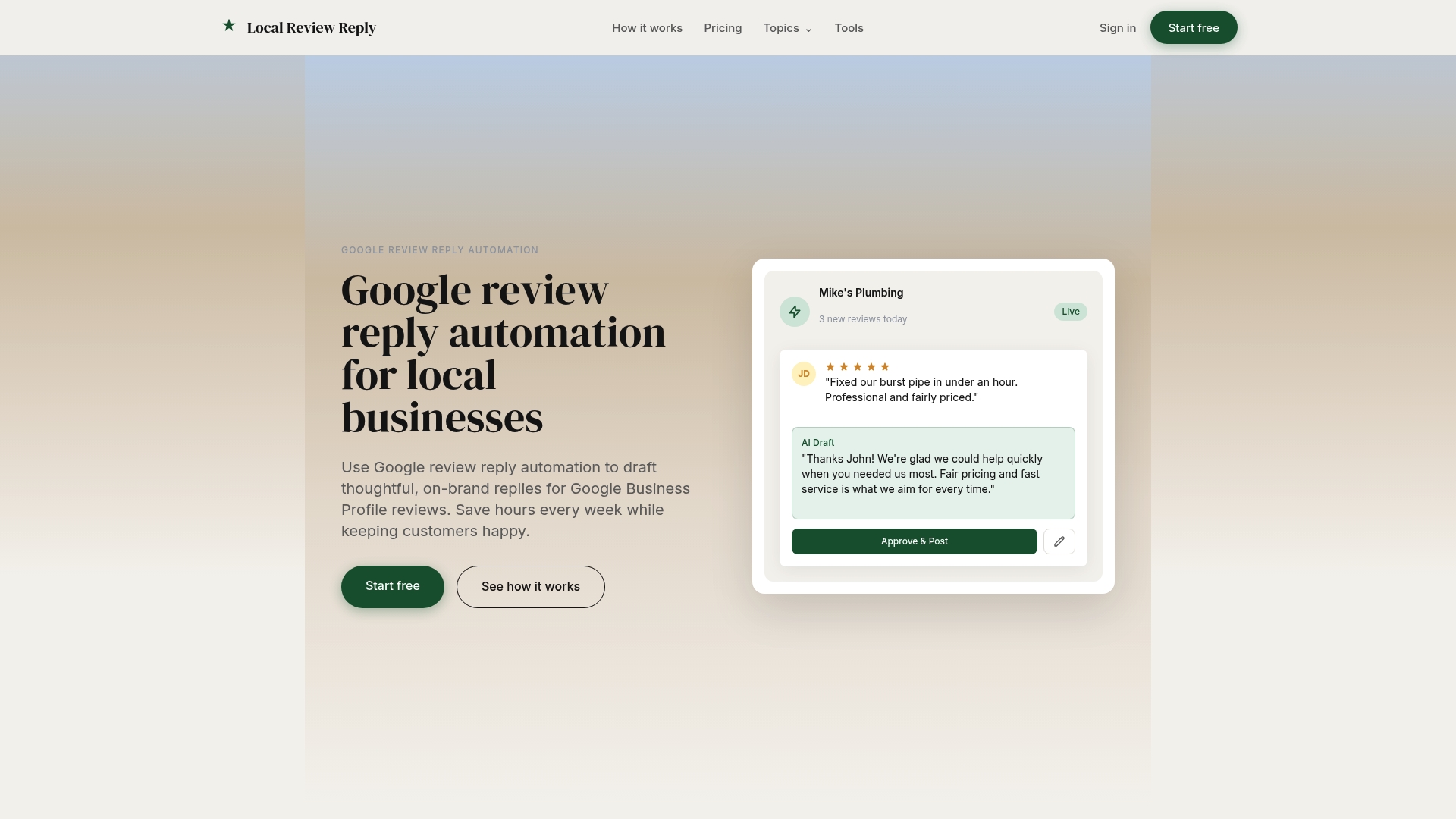
If you want to run this playbook without building the plumbing, we built Local Review Reply for exactly this job. We draft on-brand replies for Google reviews, hold sensitive and low-star replies for human approval before anything posts, and support multi-location management, team roles and permissions, and dashboards for tracking consistency. Drafting is automated, and approval stays with your people. You can browse ready-to-use reply patterns on our templates page and compare plans on our pricing page. Start with the free plan to test the workflow.
FAQ
Can you do multiple Google reviews for one place?
Google's review features are built around one review per person per place, and a reviewer can edit that review later. If you are seeing several reviews from what looks like the same person, report anything that appears fake or duplicated through Google's own tools rather than replying publicly.
Is there a way to make a Google map with multiple locations?
Yes. You can build a custom map in Google's mapping tools and add each location as a point. For managing the reviews themselves, though, you need each location's Business Profile, which is separate from a custom map.
How do I see all Google reviews for a place?
Open the place's profile and sort or scroll through its reviews, or use your Business Profile dashboard if you manage it. For many locations at once, Google's batchGetReviews method returns paginated reviews for up to 50 verified locations per call.
What should we check before choosing between an API build and a platform?
Check how many locations you have, how many reviews each gets, whether you have engineers to maintain an integration, and which replies need approval. If engineering time is short and approvals matter, a platform is usually the faster route.
Sources
- Method: accounts.locations.batchGetReviews | Google Business Profile APIs | Google for Developers
- Work with review data | Google Business Profile APIs | Google for Developers
- Tips to improve your local ranking on Google - Google Business Profile Help