
The best way to handle cross-platform review responses is to stop treating each site as its own job. Pull every review into one queue, sort it by rating and risk, write each reply in one brand voice, and let a person approve anything sensitive before it goes live. The platforms differ in their tools. Your process shouldn't.
This guide walks through that process for US local service businesses, franchises, multi-location operators and agencies: what to set up, who owns what, how fast to reply, and where automation helps and where it shouldn't act alone.
TL;DR
- Run one queue for every platform, with one owner per review and a target reply time for each type of review.
- Triage by rating and risk first. Routine praise gets a fast, personal reply. Legal threats, harassment and private details go to a person before anything is posted.
- Use templates as checklists, not copied paragraphs. Every reply should name the reviewer, the service and the specific point they raised.
- Never expose customer details in a public reply, and never pressure a reviewer. The FTC treats both as real risks.
- Automation can draft. A human decides whether a sensitive review gets answered, and how.
Table of Contents
- What cross-platform review responses actually involve
- Step 1: Claim every profile and centralize notifications
- Step 2: Put every review in one queue
- Step 3: Triage by rating and risk, not by platform
- Step 4: Keep one voice, but never one paragraph
- Step 5: Handle franchises, locations and agency clients
- Our perspective: draft with software, decide with people
- Mistakes and legal risks to avoid
- A weekly routine that keeps it running
- Where Local Review Reply fits
- FAQ
- Sources
What cross-platform review responses actually involve
A cross-platform approach means you reply to customer reviews wherever customers leave them: Google, Yelp, Facebook, industry directories and any other site where your business is rated. The goal is the same everywhere. Show the next customer that someone is paying attention.
That audience is real. A Harvard Business Review piece reports that 89% of consumers read businesses' responses to online reviews. A reply is therefore not just a message to one reviewer. It is public copy that prospects read before they call you.
The practical problem is fragmentation. Each platform has its own login, notification system, reply rules and tone. Without a shared process, you get patterns every multi-location team recognizes:
- Google gets answered because it drives the most calls, and Yelp sits untouched for weeks.
- One manager writes warm, detailed replies while another copy-pastes the same sentence forty times.
- A hard review lands on a Friday afternoon and nobody knows whose job it is.
- Someone defends the business in public and shares details they should never have shared.
A cross-platform workflow fixes ownership, timing and voice, so quality doesn't depend on who happened to be on shift.
Step 1: Claim every profile and centralize notifications
You can't reply where you don't have access. Start with an inventory of every platform where your locations appear, then confirm who holds the login for each.
Google. Google Business Profile requires a business to be verified before it can respond. Replies are posted publicly under the business, and the reviewer is notified. Verification is the first gate, so check it for every location, especially newly opened or acquired ones.
Yelp. Yelp says claiming your Business Page gives you tools for responding to reviews and communicating with customers. Its business app also sends real-time mobile notifications for new reviews and messages, which helps the owner who is out on jobs all day. Brands with many locations can claim and manage multiple Yelp pages in one place, including replying to reviews.
Once access is sorted, build a simple tracking sheet with one row per location and platform:
| Field | What to record |
|---|---|
| Location and platform | For example, "Denver North, Google" |
| Claimed and verified | Yes or no, and the date checked |
| Login owner | The person or role, not a shared personal email |
| Reply owner | Who drafts and who approves |
| Notification route | Email, app push or a shared inbox |
Avoid tying access to one employee's personal account. When that person leaves, you lose the ability to reply. For Google at franchise scale, the permissions and authorization limits are worth understanding before you roll out.
Step 2: Put every review in one queue
One queue is the single biggest improvement most teams can make. It can be a shared spreadsheet, a ticketing board or a dedicated tool. What matters is that every new review, from every site, gets logged with the same fields:
- Platform and location
- Star rating and date
- A one-line summary of what the reviewer said
- Risk level (see below)
- Owner and due time
- Status: new, drafted, awaiting approval, posted
The queue answers the question that breaks most processes: "Did anyone handle this?" It also gives you a weekly view of how many reviews arrived, how many were answered and how long it took, so you can fix delays with data instead of guesses.
Step 3: Triage by rating and risk, not by platform
Sort by what the review says, not where it appeared. A simple four-level system works across every site:
| Level | Typical review | Handling |
|---|---|---|
| Routine | Positive or neutral, no issues | Draft a personal reply, light check, post |
| Service issue | Negative or mixed, a fair complaint | Draft, manager review, post with an offer to resolve offline |
| Sensitive | Mentions health, money, safety, an employee by name, or a dispute | Senior approval required before posting |
| Escalate | Legal threats, harassment, discrimination, suspected fake review | Do not reply publicly until the right person decides; report or flag as appropriate |
For a deeper version built for franchises, see our breakdown of four response tiers that put safety first. Restaurants have their own patterns, which our restaurant decision tree covers.
How fast should you reply?
There is no official US standard for review reply times, so treat these as internal targets that you set and then measure. Many practitioners aim to answer routine positive reviews within a day or two and to acknowledge negative reviews the same business day. Those are good starting points. Adjust them to your staffing, then hold the team to them.
A few rules make targets realistic:
- Measure from the moment the review appears, not from when someone noticed it.
- Give negative reviews a first acknowledgment even if the investigation isn't finished.
- Give high-risk reviews an owner within a couple of working hours, even if the public reply waits.
- Set a backlog rule for old reviews: reply to recent ones first, then work backward in batches.
For a franchise-ready process built around 24 to 48 hour replies, see our negative review response workflow.
Step 4: Keep one voice, but never one paragraph
Consistency across platforms does not mean identical text. Identical replies are easy to spot, and they signal that nobody read the review. Research summarized by Rensselaer and published in Information Systems Research found that positive reviews do not all benefit from the same kind of reply. Tailored replies suit some positive reviews, templates suit others, and certain mixed positive reviews may be better left unanswered.
The Academy of Marketing Science recommends a structured approach: personalize appreciative replies, acknowledge complaints sincerely, use standardized responses with care for efficiency, and feed complaint patterns back into service improvements.
In practice, build a voice guide of one page, shared by every location and platform:
- Greeting and sign-off. Use the reviewer's first name as it appears. Sign with a first name and role, such as "Maria, General Manager."
- Tone. Warm and plain. Decide in advance whether you use contractions, exclamation points and emoji. Many local businesses allow the first two and skip the third.
- Required details. Each reply names the service or visit and the specific thing the reviewer mentioned.
- Banned phrases. Add the lines that sound canned, such as "we value your feedback" with nothing after it.
- Offline hand-off. For complaints, give a phone number or email so the conversation moves out of public view.
Treat templates as checklists. A template that says "thank them, mention the specific work, invite them back" produces a better reply than a paragraph you paste unchanged. Our Google review response templates are written in that spirit, and the review response guidelines cover the basics every local business should follow.
A quick example
A weak reply: "Thank you for your review. We appreciate your feedback."
A better one for a five-star plumbing review: "Thanks, Dan. Glad Luis got your water heater swapped in a single visit, and that the cleanup was tidy. If anything acts up, call us at the number on your invoice."
The second reply works on Google, Yelp or Facebook with no change. That is the target: one standard of quality, reached through specifics rather than copied text.
Step 5: Handle franchises, locations and agency clients
Multi-location teams add a question: who gets to personalize? A workable split is:
- Corporate or the agency owns the voice guide, the risk tiers, the escalation contacts and the approval rules.
- The local manager owns the facts: the name of the technician, what happened on the visit, what the fix will be.
- Both sign off on anything in the sensitive or escalation tiers.
For agencies, add one more layer. Keep a separate voice guide and approval contact for each client, and record in writing who can approve a low-star reply. Otherwise a rushed account manager ends up speaking for a client without permission.
At scale, speed matters too. Our guide to Google reviews for chains covers how to manage many locations with local replies, and the multi-location piece on competitor review responses shows how reading reviews of nearby competitors can feed your own service improvements.
Our perspective: draft with software, decide with people
We build Google review response software, so we hear the same questions from owners, managers and agencies every week. Here is where we land.
Automation is excellent at the blank-page problem. A draft that already names the reviewer, the service and the point they made saves minutes on every review, and those minutes add up across locations. It also keeps the voice consistent when ten different people would otherwise write ten different styles.
But drafting is not deciding. A low-star review that mentions an injury, an employee or a billing dispute should never post itself. That is why we built approval controls so sensitive and low-star reviews need a manual approval before anything is published. The software writes the first version; a person with the authority to speak for the business signs off.

The academic work points the same way. Rensselaer researchers argue that one-size-fits-all automation can backfire. Bots can flag reviews or issue safe templates, but senior personnel should decide whether a review needs a tailored response.
Our practical advice: automate the routine, gate the risky, and review your approval rules every quarter. Don't promise yourself that replies will change your rankings or your star average. Replies show customers you're attentive. That's the honest benefit.
— Ryan
Mistakes and legal risks to avoid
Speed creates risk when nobody is checking. Keep these in your approval rules.
Don't reveal private customer information. The FTC has warned businesses against disclosing confidential customer details in public replies. Its 2020 example involved credit, debt, income and health-related information shared in Yelp replies. A safe public reply confirms nothing about the customer's account, treatment or job. Say you'd like to talk, and give a contact.
Don't buy or steer sentiment. The FTC's Consumer Reviews and Testimonials Rule took effect October 21, 2024. It addresses deceptive conduct around reviews, and knowing violations can lead to civil penalties. The FTC's guidance also says to avoid fake reviews and incentives conditioned on a particular sentiment, and not to make false accusations or use threats or intimidation in public replies. Do not offer a discount for a five-star rating or in exchange for deleting a review.
Don't argue in public. The reader is the next customer, not the reviewer. Stay courteous, acknowledge the concern and move the details offline. Profanity needs its own plan; we outline a 48-hour flow for profanity in reviews.
Don't ignore suspected fakes. Google lets businesses flag reviews they believe violate its content policies. The FTC advises reporting suspected fake reviews to the platform first and, if that doesn't resolve it, to ReportFraud.ftc.gov. Keep a screenshot and the date, and don't reply to a suspected fake until someone has decided how to handle it.
If a review involves a legal threat, an injury or a potential claim, route it to the owner and your attorney before anyone posts.

A weekly routine that keeps it running
Process matters more than tools. A 30-minute weekly check keeps a cross-platform system healthy:
- Count new reviews by platform and location.
- Check the queue for anything unanswered past its target time.
- Read every sensitive or escalated item and confirm the outcome.
- Pick two or three themes from complaints, such as late arrivals or unclear quotes, and send them to operations.
- Spot-check five replies for voice, specifics and privacy.
New managers can learn the system fast. Our guide to review response training shows how to get a team ready in hours rather than weeks.
Where Local Review Reply fits
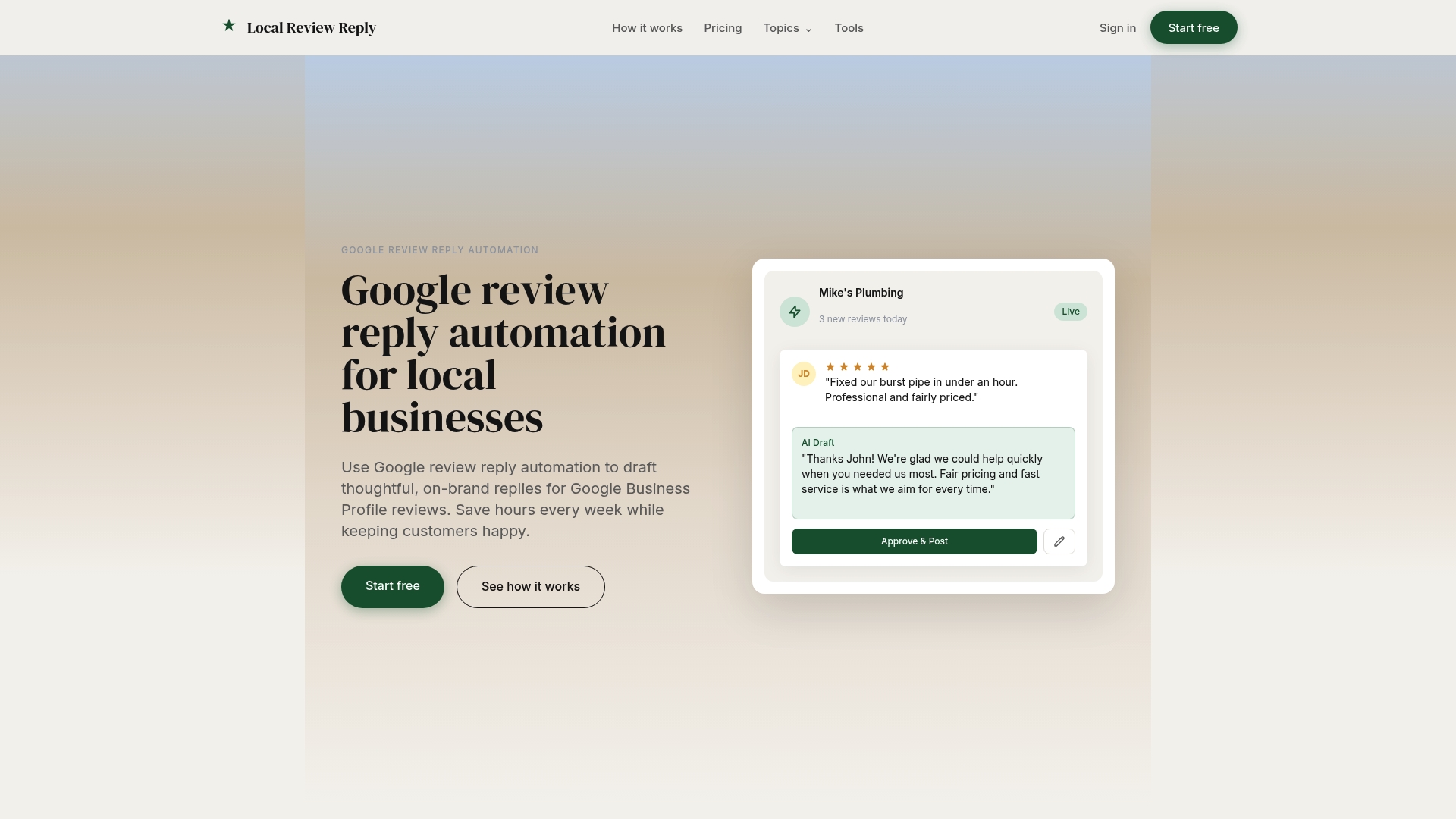
Local Review Reply covers the Google side of this workflow. It drafts personalized, on-brand replies to Google Business Profile reviews in seconds, requires manual approval for sensitive and low-star reviews, and supports multi-location management, team roles and permissions, and analytics. Your team still decides what gets posted.
Plans are tiered by locations and monthly reply volume. The Free plan has basic functionality, Starter is 5 AUD per month, Growth is 19 AUD per month and Scale is 49 AUD per month, with a Custom plan for larger needs. See the current details on the pricing page or start from our homepage.
For other platforms, such as Yelp or Facebook, you'll still use each platform's own tools and the same queue, voice guide and approval rules described above.
FAQ
Should I reply to every review on every platform?
Aim to reply to most reviews, especially negative ones and those with specific detail. Research suggests some mixed positive reviews may be better left unanswered, so let your triage rules decide rather than a blanket policy. Reply consistently on the platforms that matter most to your customers.
Can I use the same reply on Google and Yelp?
You can reuse the structure and the voice, but write the specifics fresh for each review. Identical text looks automated to readers and ignores what each reviewer actually said. A template used as a checklist keeps quality high without copying.
Who should approve replies to negative reviews?
Someone with authority to speak for the business, usually the location manager for service complaints and the owner or a senior leader for anything sensitive. Agencies should get written approval rules from each client. Anything involving legal threats, health, money or safety should go to a senior person first.
Is it legal to ask customers to change or remove a review?
Asking politely is different from pressuring. The FTC says not to use threats or intimidation in public replies and not to condition incentives on a particular sentiment. If you think a review is fake or breaks platform rules, flag it to the platform instead of pushing the reviewer. Ask your attorney about specific disputes.
Can AI write review replies safely?
It can draft them, and that saves time. Safety comes from the rules around it: approval for low-star and sensitive reviews, a privacy check on every draft and a person who owns the final decision.
Sources
- 5 Principles for Responding to Customer Reviews, Harvard Business Review
- Manage customer reviews, Google Business Profile Help
- Why Claim Your Business Page on Yelp
- Yelp for Business app
- Yelp for Brands: claim multiple pages
- Managerial Response to Online Positive Reviews, Information Systems Research
- Responding to Reviews, Academy of Marketing Science
- Research Shows Even Positive Online Reviews are a Minefield, Rensselaer
- FTC: Consumer Reviews and Testimonials Rule Q&A
- FTC: Consumer reviews and the FCRA
- FTC Consumer Advice: Should we trust online reviews?